
Welcome to the newmeta User Guide
This guide is for editors, content managers, and administrators who use the newmeta CMS — not for developers who extend it. If you are building plugins, widgets, or themes, head over to the Developer Docs instead.
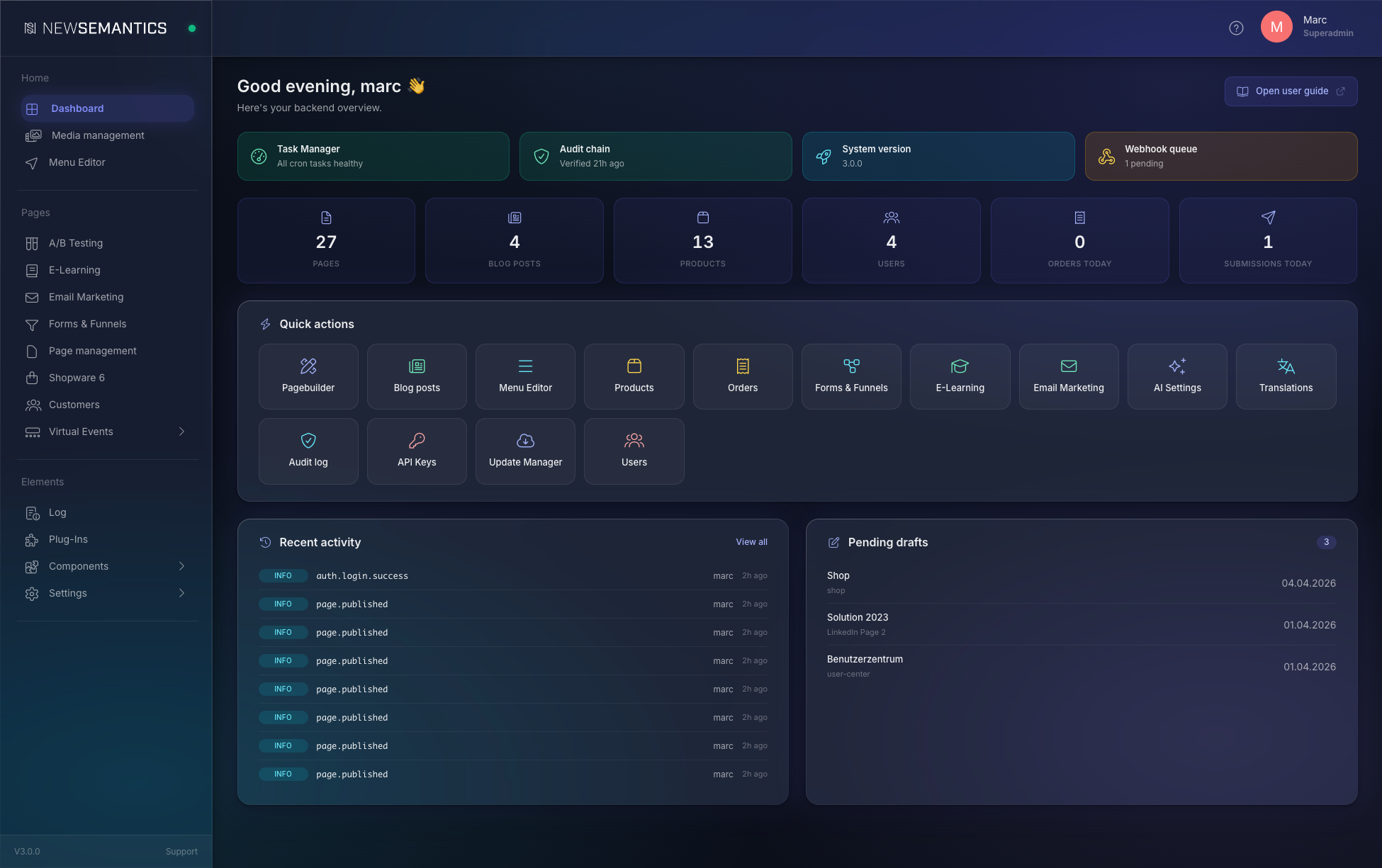
What you can do here
- Create and publish pages with the Pagebuilder, manage blog posts, upload media.
- Run your shop: products, orders, checkout settings — for the native shop or a headless Shopware 6 backend.
- Deliver courses through the E-Learning module: lessons, tracking, certificates.
- Send newsletters and run A/B tests: Email Marketing, conversion experiments.
- Tune SEO and design: redirects, design tokens, AI-assisted text generation.
- Manage users, API keys, and system settings: permissions, webhooks, updates.
Where to start
New here?
Start with the Backend Tour — a 5-minute walkthrough of the admin layout. Then read Key Concepts to understand how pages, widgets, and plugins fit together.
| If you want to … | Read |
|---|---|
| Get familiar with the admin UI | Backend Tour |
| Understand pages, widgets, plugins | Key Concepts |
| Build your first page | Pages & Pagebuilder |
| Set up the shop | Native Shop |
| Invite a colleague | Users & Permissions |
See also
- Developer Docs — for plugin and widget development.
- API Reference — interactive OpenAPI explorer.