
Elasticsearch
Elasticsearch powers the site-wide full-text search. Plugins register search indices — blog posts, products, pages, PDFs — and the scheduler feeds documents into Elasticsearch on a schedule. The Elasticsearch admin screen lets you verify the cluster is reachable, inspect what is indexed, trigger a reindex, and wipe an index if you need to start over.
Open Settings → Elasticsearch. The screen has three tabs.
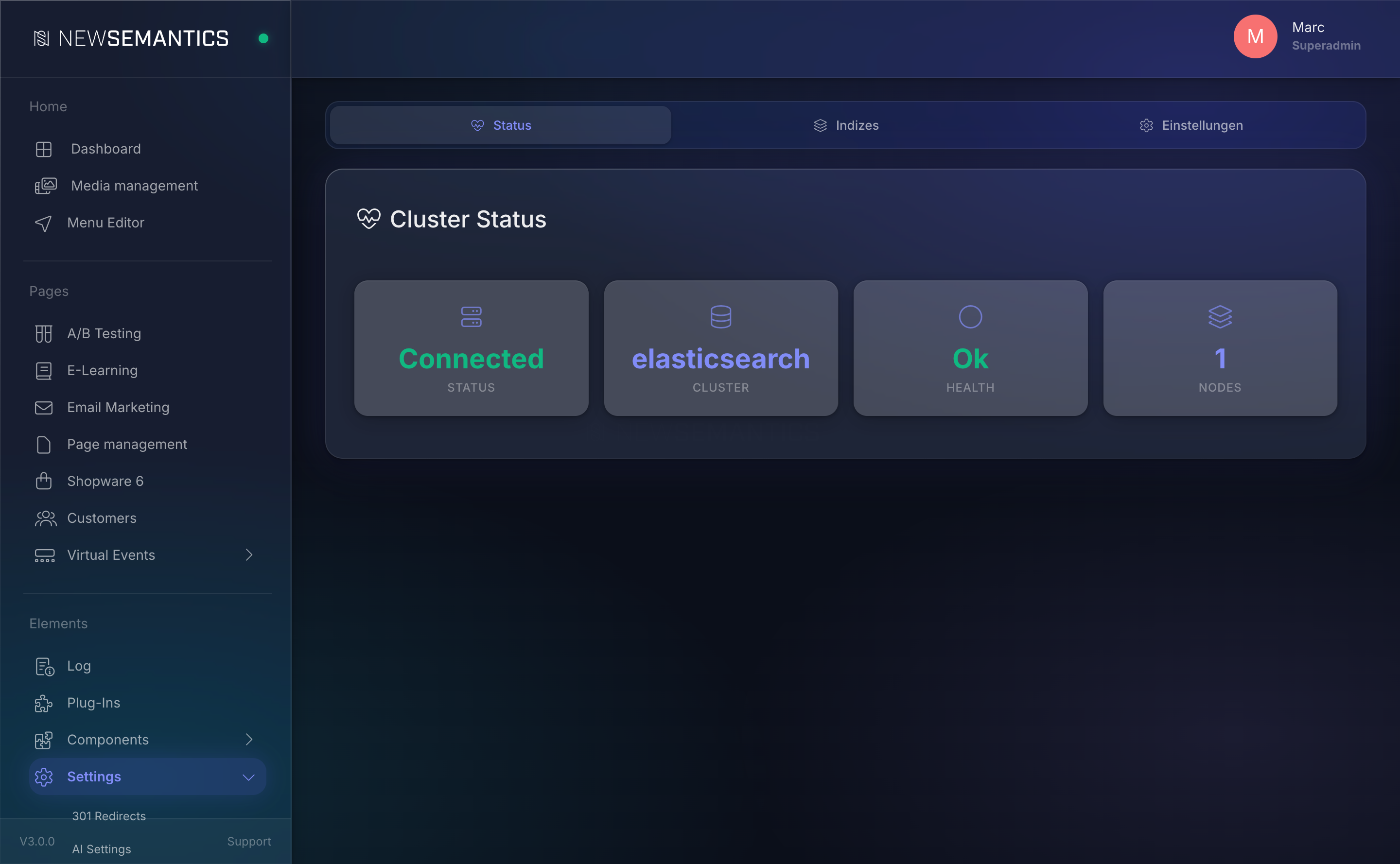
Tab 1 — Status
The Status tab shows cluster health at a glance.
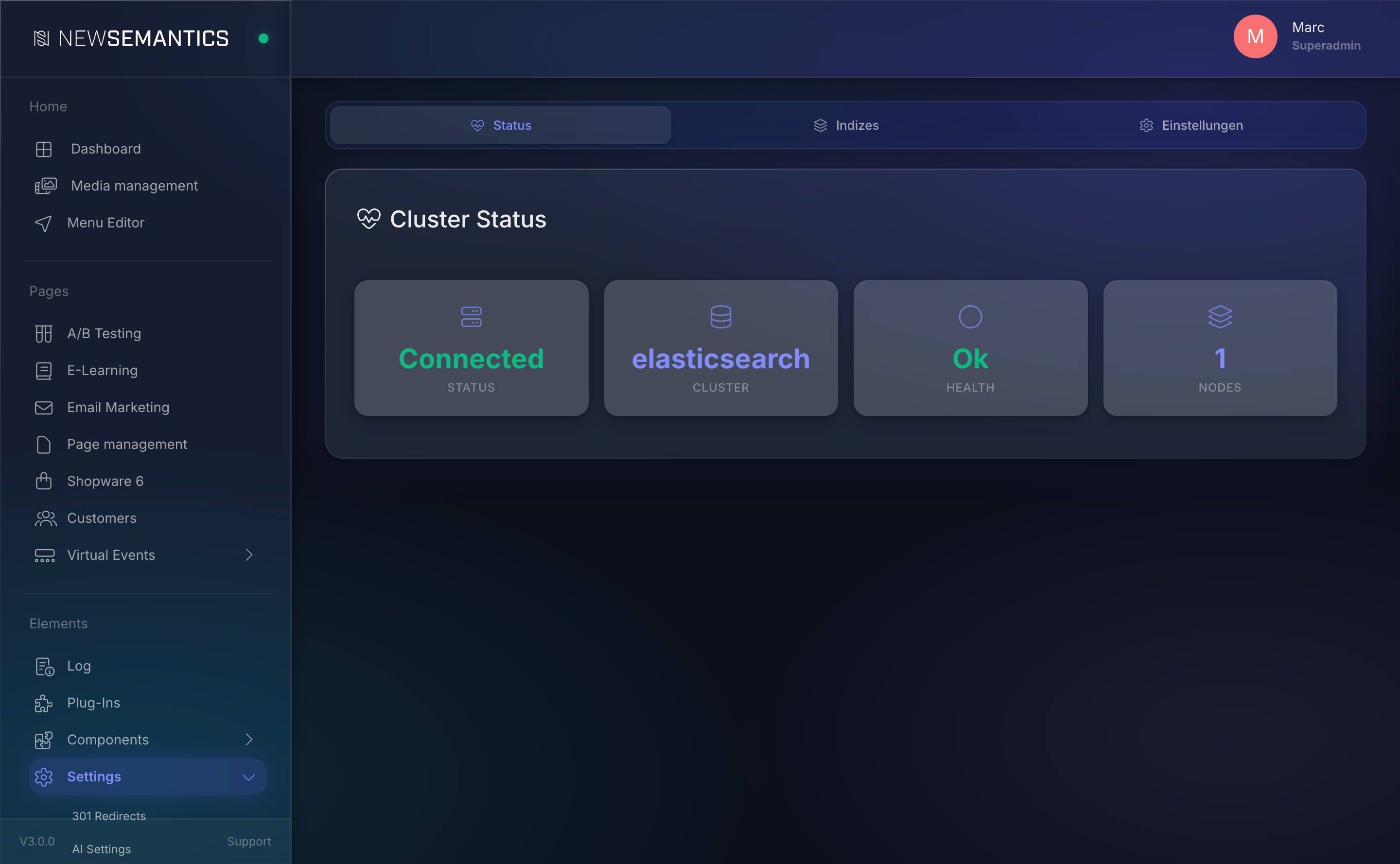
| Card | Meaning |
|---|---|
| Status | Connected (green) or Disconnected (red). |
| Cluster | The cluster name reported by Elasticsearch. |
| Health | green, yellow, or red. yellow usually means unassigned replicas on a single-node dev cluster — acceptable. red means data is missing or the cluster is broken. |
| Nodes | Number of nodes in the cluster. |
If Status is Disconnected, the card shows the error in a red banner. Typical causes: wrong host/port, expired API key, firewall blocking outbound TLS.
Tab 2 — Indices
Lists every index registered by the CMS. Each plugin that ships a searchIndex/ directory contributes one or more indices.
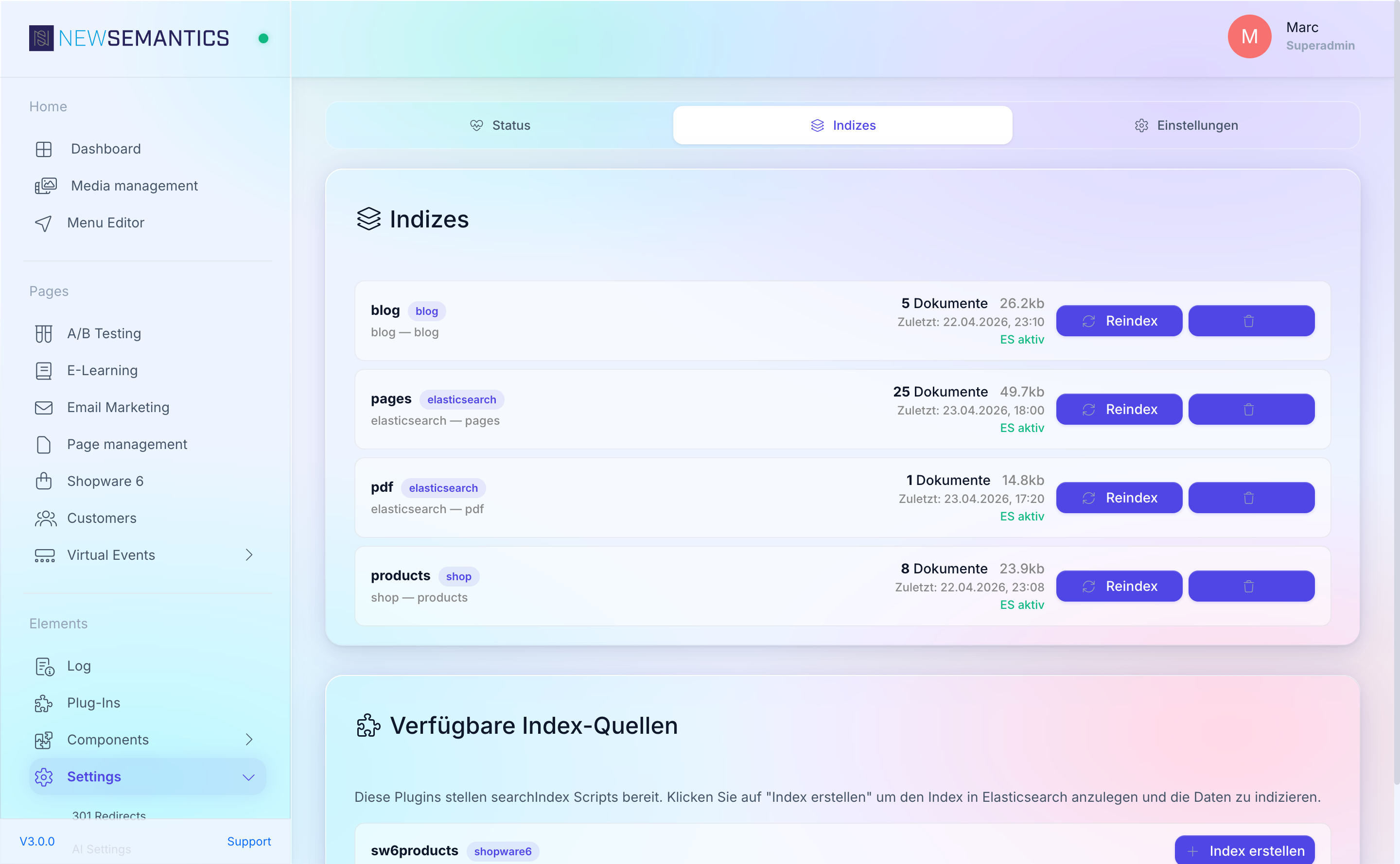
For each index you see:
| Column | Purpose |
|---|---|
| Name | Internal identifier (e.g. blog, products, pages, pdf). |
| Plugin | Which plugin registered this index. |
| Description | What the index covers. |
| Documents | How many documents currently live in the index. |
| Size | Disk footprint reported by Elasticsearch. |
| Last indexed | Timestamp of the last successful reindex. |
| ES active / Not in ES | Whether Elasticsearch actually has this index (as opposed to just the CMS registration). |
Built-in indices
| Index | Source |
|---|---|
blog | Blog articles — title, subtitle, body. |
products | Native-shop products (excludes e-learning courses). |
pages | Public pages — scraped via HTTP + DOMDocument. |
pdf | PDFs in the Media Manager — parsed with smalot/pdfparser. |
Trigger a reindex
Click the refresh Reindex icon on an index row. This sets the index's last_indexed_at to NULL in the database. The next scheduled run of the Elasticsearch Reindex task (every 60 seconds — see Task Manager) picks up the request and rebuilds the index.
Reindexing is asynchronous:
- The Task Runner processes one index per run, so a queue of several indices drains at one-per-minute.
- Progress is not shown inline — refresh the tab to see the updated Documents count and Last indexed timestamp.
- For a large index, allow several minutes.
Delete an index
Click the trash Delete icon. The index is removed from Elasticsearch and the CMS no longer serves search results for it. The registration stays — a future reindex re-creates the empty index and repopulates it.
Deletion is not soft
Deleting wipes the Elasticsearch side immediately. Search requests for that domain return empty until the next reindex completes.
Tab 3 — Settings
Connection details for the Elasticsearch cluster.
| Field | Purpose |
|---|---|
| Host | Hostname or IP of the cluster, e.g. search.example.com. |
| Port | Usually 9200 for plain TLS, 443 for reverse-proxied clusters. |
| Use SSL | Toggle HTTPS vs HTTP. HTTPS is the norm. |
| API Key | Base64-encoded Elasticsearch API key, generated in Kibana. Stored AES-256-CBC encrypted. |
| Index Prefix | Namespace for all indices, e.g. mysite_. Avoids collisions in shared clusters. |
Click Save. Changes apply immediately to the next API call.
Test the connection
The Status tab's Connected badge is the live test. After editing Settings, switch to Status — if it still says Disconnected with the same error, the new credentials are also wrong.
Self-signed certificates
For development clusters with self-signed certs, the client sends requests with CURLOPT_SSL_VERIFYPEER = false. Production should use a proper certificate.
How the search endpoint works
The frontend hits /api/elasticsearch/search?q=...&lang=... which:
- Multi-matches across fields with boosts (
title^5,h1^4,subtitle^3,h2^2.5,body^1). - Applies language filter using
initLanguages()from the CMS. - Supports fuzzy matching for typos.
You do not configure search behaviour from the admin UI — the frontend widgets (the Elasticsearch overview widget and the searchbar widget) expose the knobs that matter (results per page, filters, UX).
Common issues
Status is Disconnected with "401 Unauthorized". API key is wrong or expired. Generate a new one in Kibana and paste it into Settings.
Status is Connected but an index shows "Not in ES". The index was never built. Click Reindex and wait for the next scheduler tick.
Reindex shows "last run too long ago" but Documents is still 0. Most likely the Task Runner cron is not firing. Check Task Manager → System Status → Last Cron Run.
"Connection refused" or 30-second timeouts. The cluster is unreachable or overloaded. Check firewall rules and cluster health in Kibana.
See also
- Task Manager — the Reindex scheduled task lives here.
- Cache — unrelated but often confused; search does not use the response cache.
- Frontend widgets: Elasticsearch Overview, Searchbar — part of the Pagebuilder widget library.