
Products
Products are the catalogue of your Native Shop. Every row in the Products table becomes a buyable item on the frontend.
This page walks you through creating a product, the full list of fields, and the three product types (digital, physical, VOD/subscription).
Open the Products screen
Click VOD / Shop → Products in the sidebar.
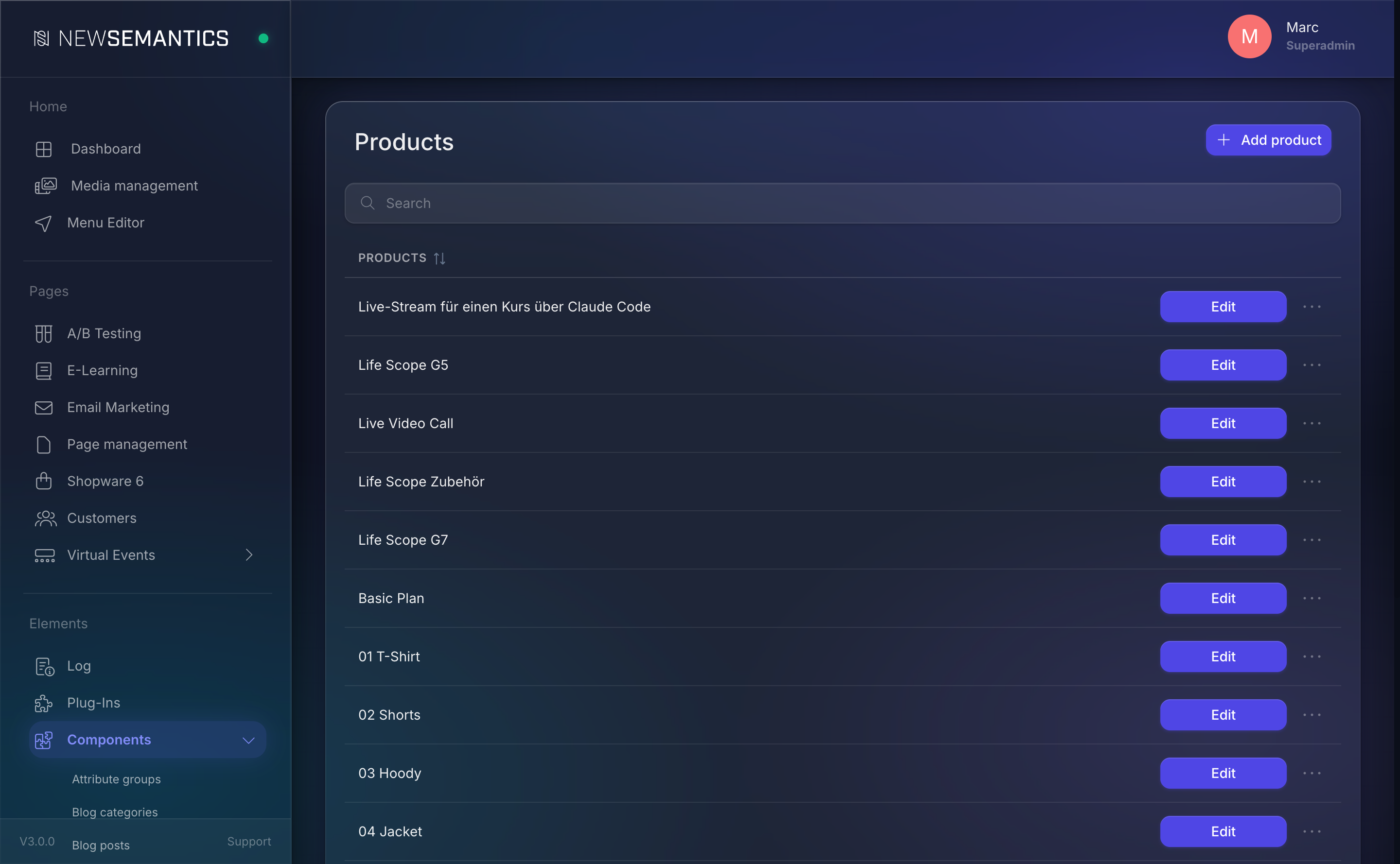
The list shows every product with its title. Columns: Edit, Attributes (show_checklist), Add subscription, Additional content, Episodes, Images, and Delete.
Create a product
- Click New product (top right).
- Pick the language tab (EN / DE / …) first — other languages follow as separate tabs once the base row exists.
- Fill the core fields (see the reference below).
- Click Save.
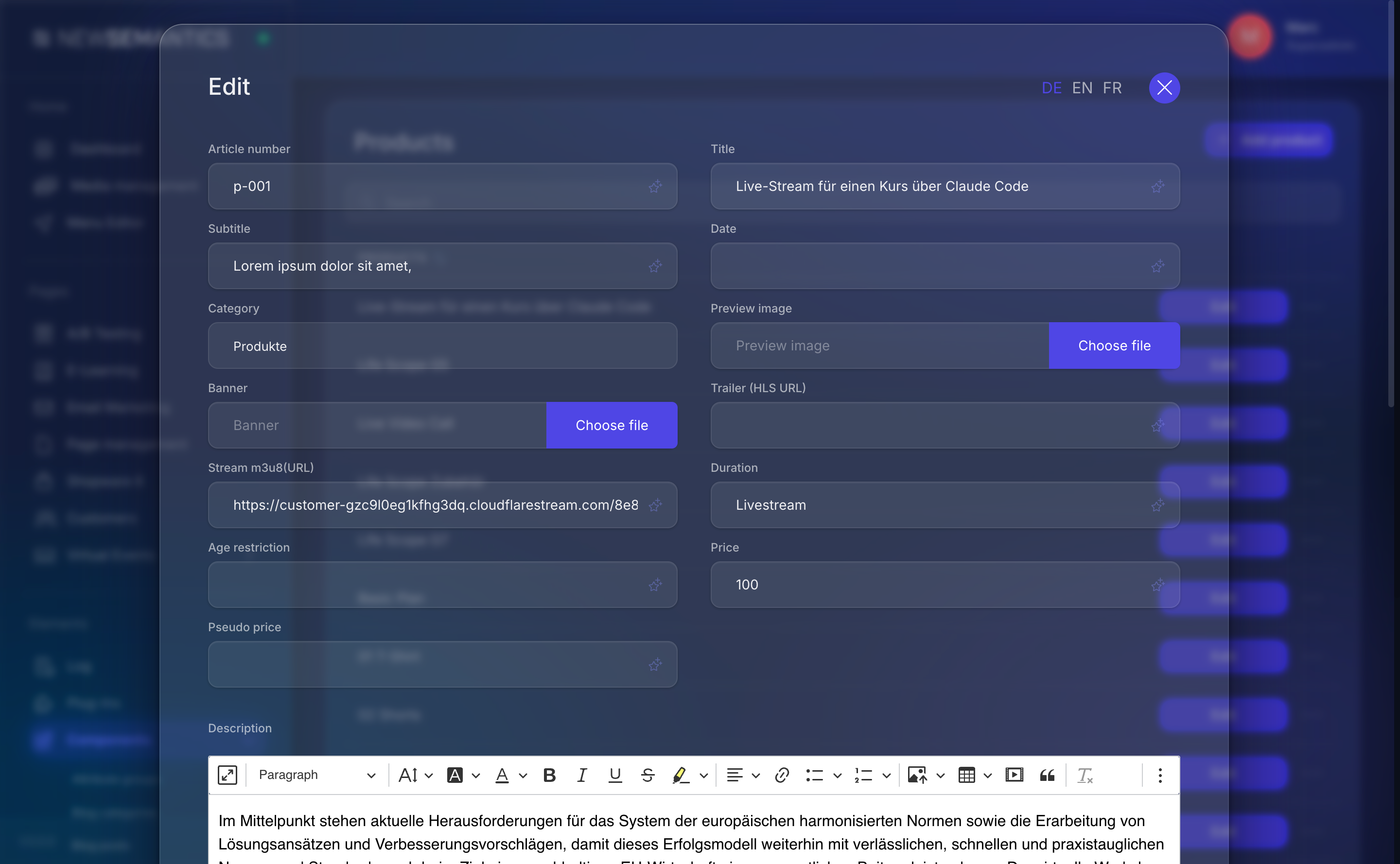
Field reference
Basic fields
| Field | Purpose |
|---|---|
| Article number | Your SKU. Shown on the invoice and in the order history. |
| Title | Product name. Translated per language. |
| Subtitle | Short teaser (1 line). Translated per language. |
| Date | Release / publication date (free text). |
| Catgory | Product category (pick from s_categories). |
| Preview image | Main image. Media Manager pick. |
| Banner | Wide hero image for the detail page. |
| Description | Rich-text body, CKEditor. |
Pricing and status
| Field | Purpose |
|---|---|
| Price | Gross price in the currency set on Shop master data. |
| Pseudo price | Strike-through price for "was 50, now 35" offers. Leave empty for no strike-through. |
| Status | Active shows the product on the frontend, Inactive hides it. |
| Age restriction | Free text like 18. Enforced by the frontend. |
Product type
Product type decides how the product behaves on purchase. The Native Shop ships with four types:
| Type | Meaning |
|---|---|
| Article | Physical or simple digital product. |
| Video | VOD item — the Stream (URL) field points to an HLS .m3u8 source, optional Trailer (HLS URL). |
| Subscription | Recurring billing — configure Interval type (Day/Week/Month/Year) and Interval duration (1–365). Trial phase + Test count add a free trial. |
| Download | Digital download — File (only for download articles) holds the asset picked from the Media Manager. |
Test phase for subscriptions
For subscription products, set Duration of the test phase in days to let customers try the product before the first charge. 0 disables the trial.
SEO
| Field | Purpose |
|---|---|
| URL-Rewrite | Localised path — becomes /{URL-Rewrite} on the frontend. |
| Meta-Tags | Comma-separated keywords. |
| Meta-Description | Meta description for search engines. |
Assign attributes
Attributes (sizes, colours, tags, …) are reusable across products. On the product list, click the checklist icon (Attributes button) on the product row:
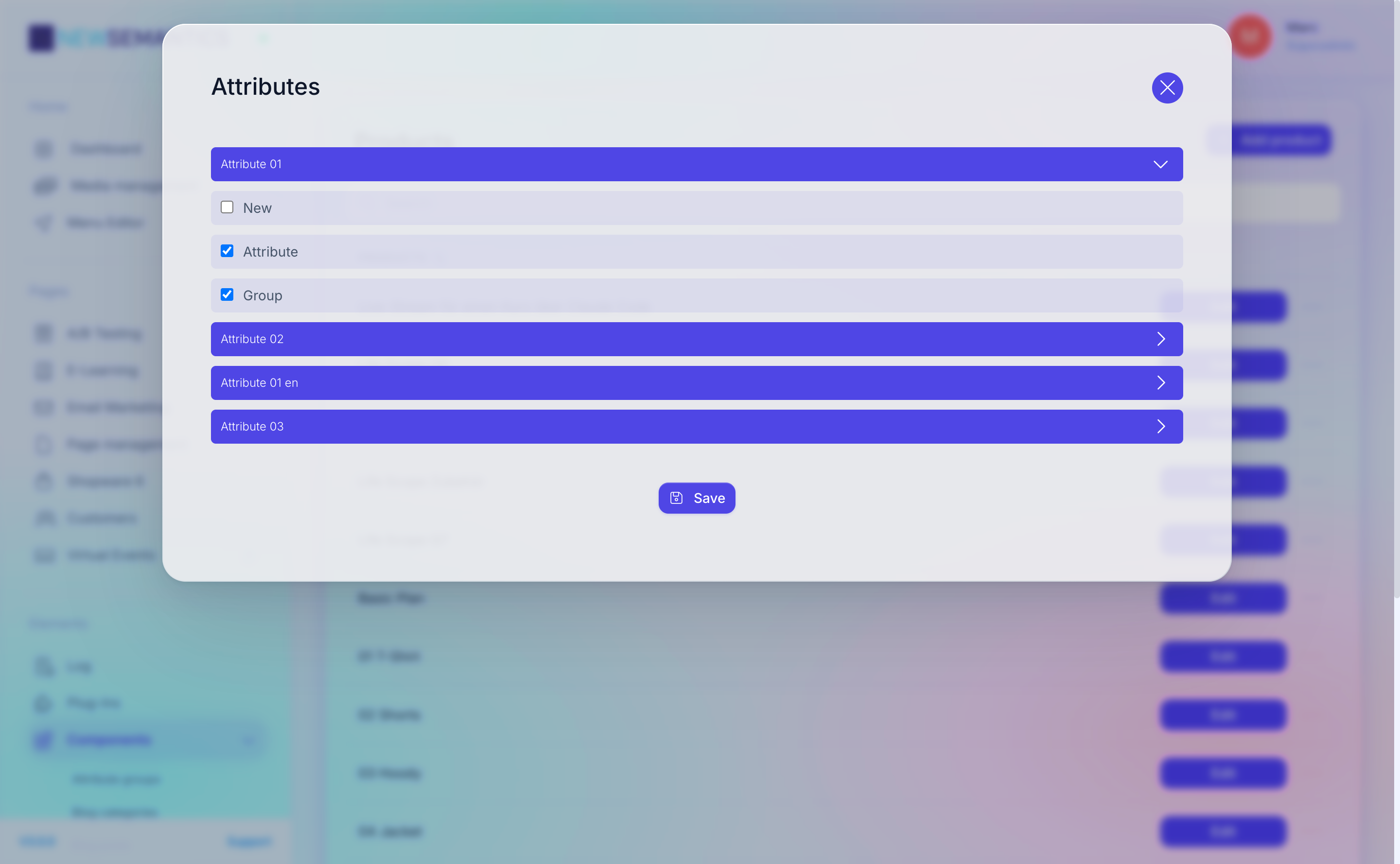
Tick the attributes that apply, then Save. See Attribute Groups to manage the available attributes.
Add subscriptions, episodes, images
Three secondary buttons expose related content for a product:
- Add subscription — link a subscription plan to the current product (one product can offer multiple subscription intervals).
- Additional content — extra trailers, bonus clips, attached to the product detail page.
- Episodes — only meaningful for Video products; add a linear episode list.
- Images — add a gallery beyond the single Preview image.
Each opens a module list where you can add, edit, and delete entries without leaving the product screen.
Stock
Native Shop does not track stock per SKU in the default setup — products are always purchasable while Status is Active. If you need stock handling, use Shopware 6 and the Shopware 6 integration.
Common issues
Prices with comma
Prices must use a dot as decimal separator (29.90), not a comma. A comma-formatted value saves as 0.
Missing preview image
The frontend falls back to a placeholder if Preview image is empty. Always pick an image before going live.
URL-Rewrite collisions
If two products or a product and a page share the same URL-Rewrite in the same language, the frontend returns the first match it finds. Keep slugs unique.
See also
- Product Categories — group products.
- Attribute Groups — reusable attributes.
- Shop Master Data — currency, shipping, tax.
- Orders — what happens after a purchase.