
E-Learning Overview
The E-Learning module runs a CME-compliant course portal inside your CMS. You create courses with video episodes, an exam, and issue digital certificates. Courses are sold through the shop checkout and the learner streams videos and takes the exam in the frontend.
The module is regulatory-aligned with BZAEK Kategorie C and DGZMK rules: 45-minute minimum, 2 points per 45-minute unit, 67% pass mark, 3 exam attempts, 8 CME points per day, and 10-year record retention.
Where the module lives
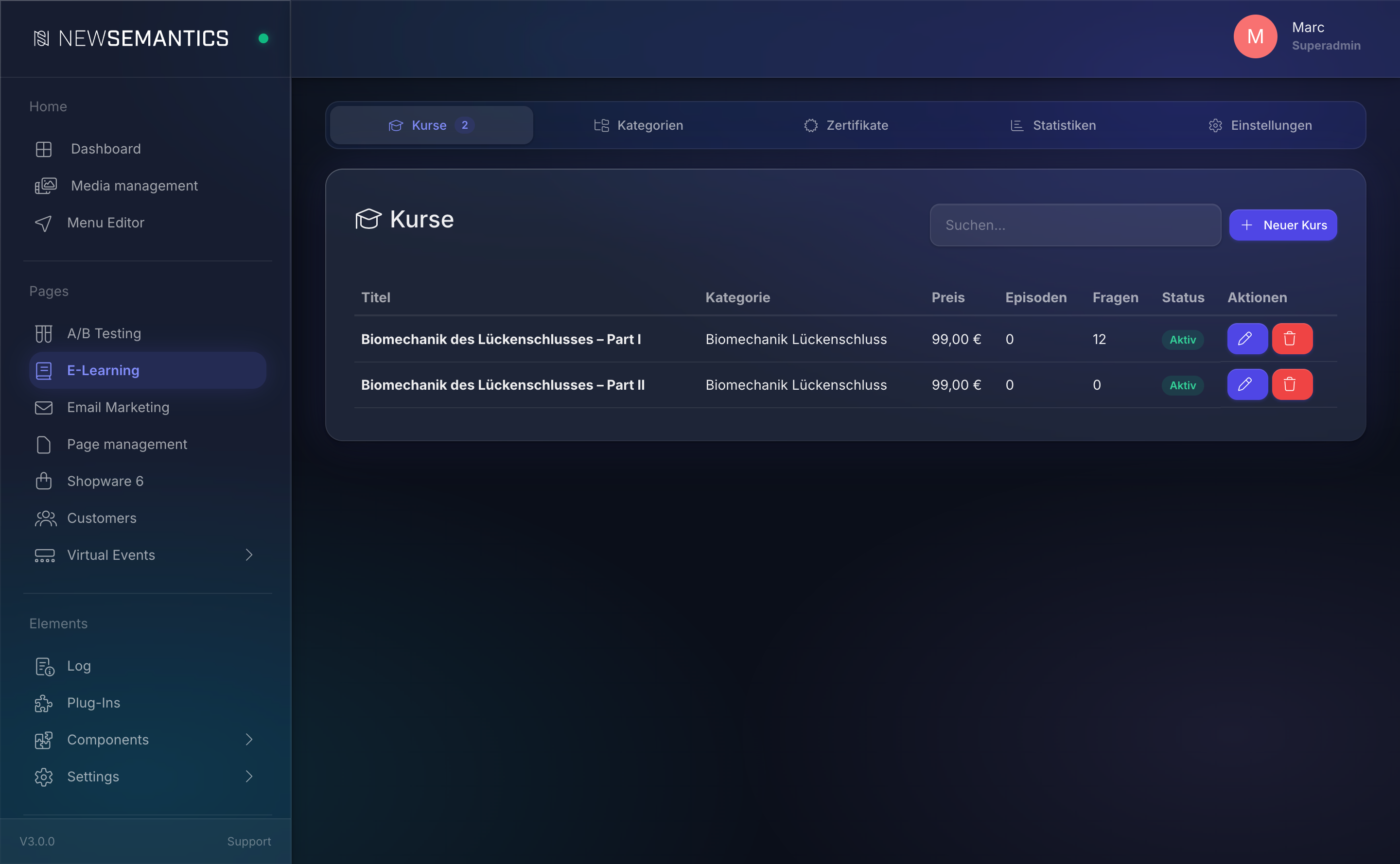
Open Pages → E-Learning in the sidebar. The screen has five tabs:
- Courses — the course list. This is where you spend most of your time.
- Categories — optional grouping for the course catalog.
- Certificates — issued certificates with CSV export and PDF re-download.
- Statistics — totals for courses, sales, average exam score, certificates.
- Settings — certificate background, logo, organizer name, address, registration number.
Anatomy of a course
Every course has four concerns that you configure under one detail view (Courses → Select course):
| Sub-tab | What it holds |
|---|---|
| General | Title, price, preview image, trailer/video URLs, CME metadata (VNR, location, points, pass mark). |
| Episodes | Optional list of video episodes. A course can use a single main video or multiple episodes. |
| Questions | Exam questions with multiple-choice answers. |
| Cross-Selling | Other courses recommended on the detail page. |
A course automatically creates a matching product in the native shop (s_products with type=2). You do not create the product yourself — it appears as soon as you save the course. Title, price, and image stay in sync.
Learner flow
Catalog → Detail page → Purchase (checkout) → My Courses
                                                  ↓
                                         Watch video(s) (tracked)
                                                  ↓
                                         Start exam (optional)
                                                  ↓
                                         Issue certificate (PDF)
Frontend widgets
The elearning widget in the Pagebuilder renders the catalog, category, detail, and "My Courses" views. The same widget handles the video player (video.js with HLS), the exam UI, and the certificate form.
What you cannot edit in the backend
- Exam snapshots — when a learner starts an exam, the question set and answer shuffle are frozen. Editing questions afterwards does not affect ongoing attempts.
- Certificates — once issued, the participant data, course title, EIV number, and location are stored as a snapshot on the certificate. Changing the course later never changes past certificates. Admins can download every certificate as PDF; editors cannot rewrite them.
- Watched seconds — the tracking log is append-only. You see progress, but you cannot correct it.
Permissions
- Editors create courses, manage episodes, write exam questions.
- Admins additionally access the Settings tab and download certificates for any participant.
See also
- Create a course — how-to
- Episodes and video tracking — how-to
- Exam questions — how-to
- Certificates — how-to
- Backend Tour