
Webhooks
Webhooks push events from the CMS to external systems as soon as they happen. When an order is placed, a page is published, or a form is submitted, the CMS fires an HTTP POST to the URLs that have subscribed to the event. This is how you connect the CMS to Zapier, Make, Slack, a CRM, or any custom integration.
Webhook subscriptions live alongside API keys. Open Settings → API Keys and switch to the Webhooks tab.
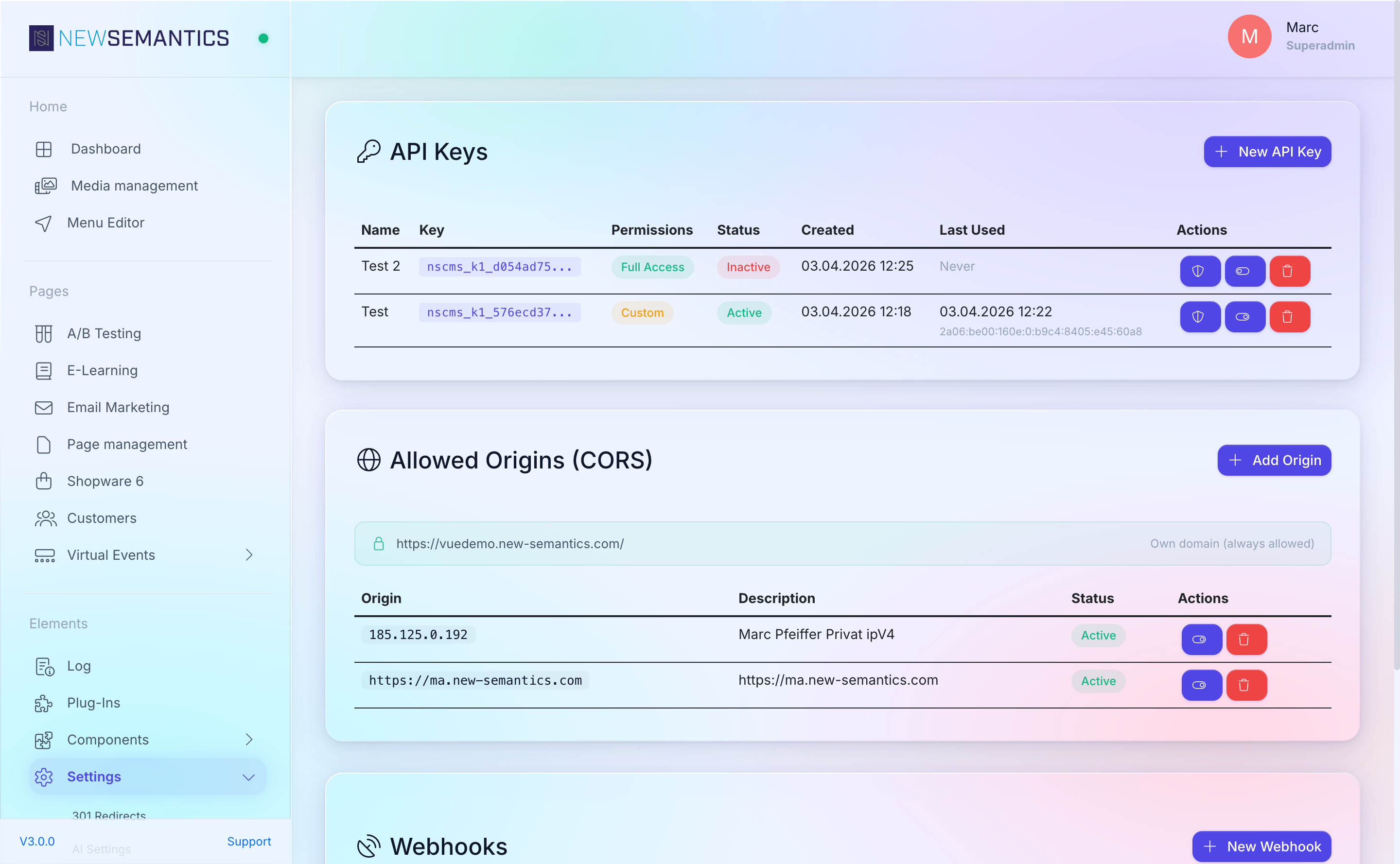
1. Create a subscription
Click New Webhook. The modal asks for:
| Field | Purpose |
|---|---|
| Name | Human label, e.g. Slack: orders channel. |
| URL | The HTTPS endpoint that receives the POST. Plain HTTP is rejected. |
| Events | Multi-select. Tick each event this subscription should receive. |
| Secret | Auto-generated. Use it to verify the payload signature on the receiver side. |
| Active | Toggle to temporarily pause without deleting. |
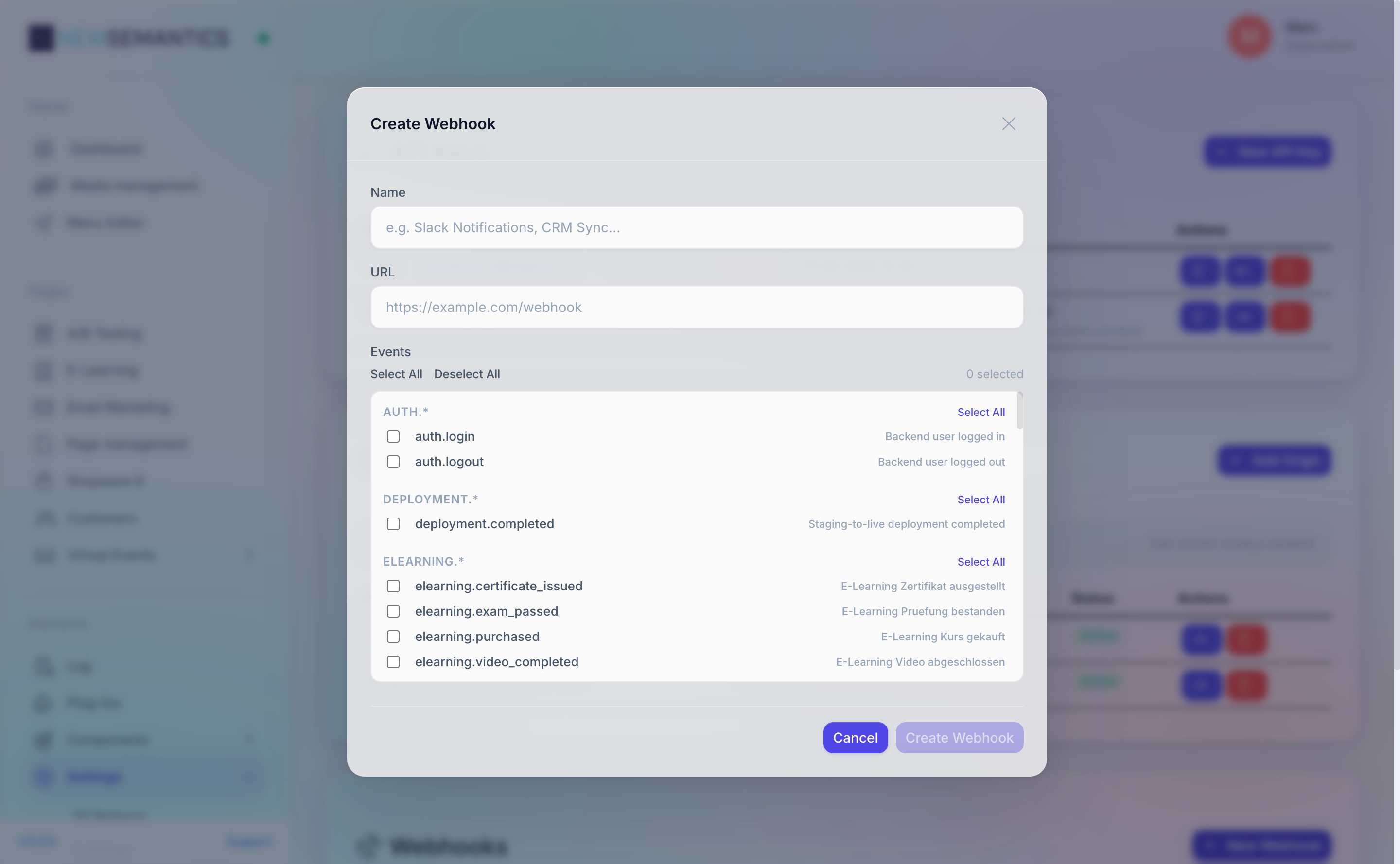
Click Save. The subscription is stored and starts receiving events immediately.
2. Pick events
Events are grouped by domain. System events are always available:
| Event | Fires when |
|---|---|
page.published | A Draft is published to the live site. |
page.draft_discarded | A Draft is thrown away without publishing. |
media.uploaded | A file is uploaded to the Media Manager. |
media.deleted | A file is deleted from the Media Manager. |
auth.login | A Backend user logs in. |
auth.logout | A Backend user logs out. |
order.created | A native-shop order is placed. |
form.submitted | A frontend form is submitted. |
user.registered | A frontend customer account is created. |
elearning.purchased | A learner purchases a CME course. |
elearning.video_completed | A learner watches at least 95% of an episode or main video. |
elearning.exam_passed | A learner passes the CME exam. |
elearning.certificate_issued | An e-learning certificate is generated. |
shopware6.order_placed | A Shopware 6 order completes. |
shopware6.product_updated | A product in the connected Shopware shop is updated. |
shopware6.cache_invalidated | The local Shopware category/product cache is invalidated. |
deployment.completed | A staging-to-live deployment finishes successfully. |
Plus auto-events for every content table managed via the CMS:
item.{table}.createditem.{table}.updateditem.{table}.deleted
For example a blog post gives you item.blog_articles.created.
3. Signature verification
Every delivery carries a X-Webhook-Signature header with an HMAC-SHA256 signature of the raw request body, using the subscription's secret as the key.
Verify the signature on your receiver to reject forged calls:
$signature = $_SERVER['HTTP_X_WEBHOOK_SIGNATURE'];
$body      = file_get_contents('php://input');
$expected  = hash_hmac('sha256', $body, $secret);

if (!hash_equals($expected, $signature)) {
    http_response_code(401);
    exit;
}
Sensitive fields are auto-filtered
The dispatcher removes any payload field whose key contains password, secret, hash, key, token, or salt. You do not need to handle those on the receiver side — they never leave the CMS.
4. Test a subscription
Click the paper-plane Test icon on a subscription row. The system fires a single webhook.test delivery at your URL with a trivial payload. The response status and body are shown inline.
Use this to verify:
- Your URL is reachable.
- Your server returns
200(or204). - Your signature check accepts the test payload.
5. Delivery history
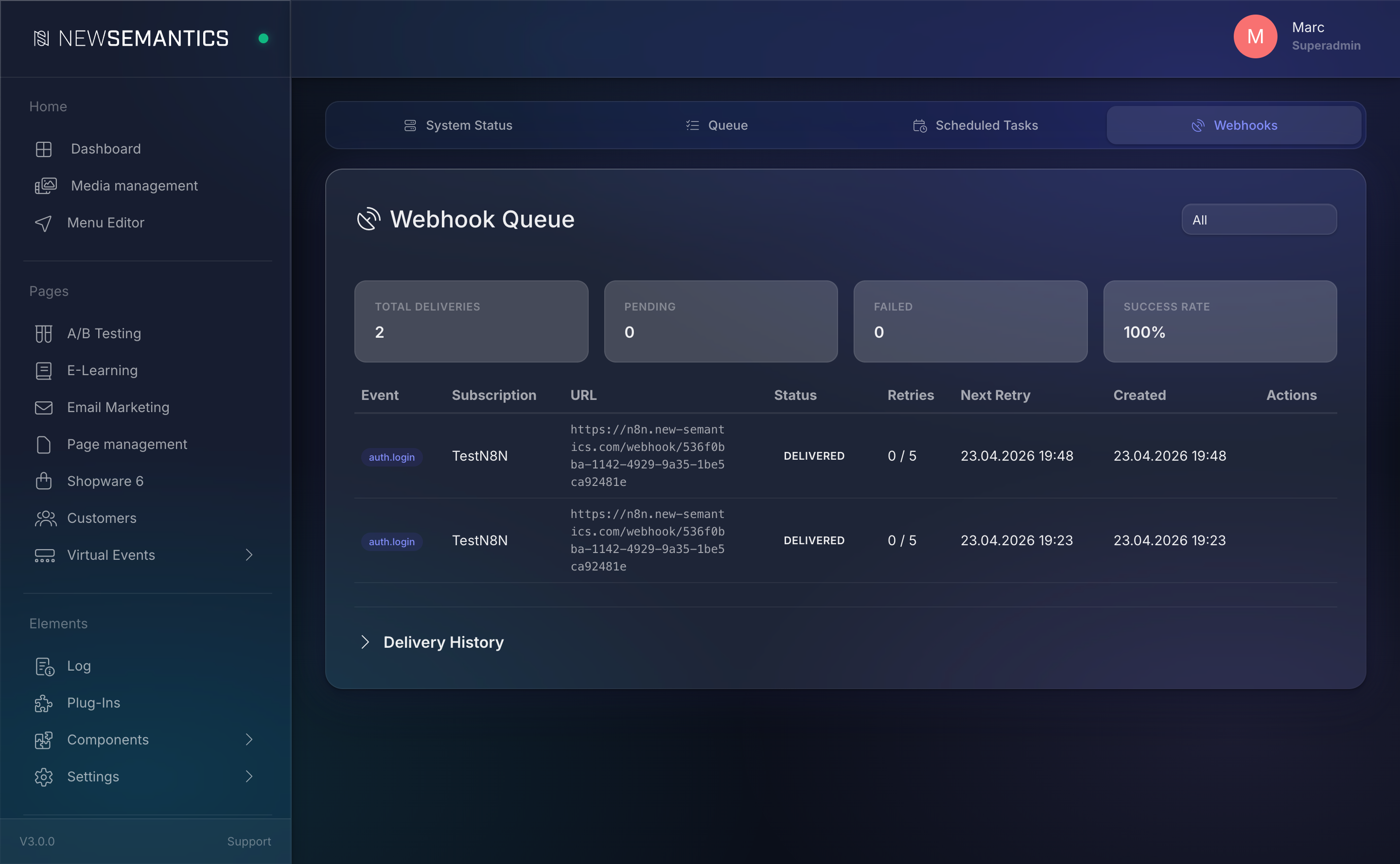
Every attempt is logged. Open the Webhooks tab under the Task Manager or click Deliveries on a subscription. The history shows:
- Timestamp and status code.
- Response body (truncated to 4 KB).
- Attempt number.
Failed deliveries retry with exponential backoff. Maximum retries: 5. After 10 consecutive failures across any subscription, the circuit breaker disables the subscription automatically — you will see Inactive in the list with a warning badge. Fix the receiver, re-enable with Active, and the queue resumes.
6. Rotate the secret
Click the refresh Rotate Secret icon to generate a new shared secret. The old one stops working immediately. Update the receiver in parallel.
7. Delete a subscription
Click the trash Delete icon. Queued deliveries that haven't fired yet are dropped. History stays until the cleanup job trims it.
The delivery queue
Webhooks are not sent inline — the request that triggers an event returns immediately, and a queue worker picks up the pending deliveries. The worker runs every 30 seconds via the cron scheduler (see Task Manager).
If the cron is not running, queued deliveries pile up but do not fail. Fix the cron first, then monitor the queue drain.
HTTPS required
URLs must start with https://. Plain HTTP subscriptions are rejected at save time because the signature header provides no protection against man-in-the-middle if the transport is not encrypted.
Common issues
Subscription jumps to Inactive on its own. The circuit breaker has tripped after 10 failures. Open the delivery history, fix the receiver, re-enable Active.
Test ping works but real events never arrive. Events may be registered but not ticked in your subscription. Open the subscription, re-check the event list, save.
Signature check always fails. Re-read the raw body, not the parsed JSON. Many frameworks mutate the body before you see it — the HMAC is computed against the exact bytes sent over the wire.
Payload arrives but a field is missing. Sensitive fields (password, secret, hash, key, token, salt) are stripped before dispatch. This is intentional and cannot be turned off.
See also
- API Keys — the pull counterpart to webhooks.
- Task Manager — the worker that drains the webhook queue.
- Log — audit trail for
auth.login/auth.logoutevents.