
Shop Master Data
Shop master data holds everything that is true for your shop as a whole: company address, currency, tax number, e-mail templates, shipping cost, accounting provider. It also configures the e-mail server that sends order confirmations.
You set this up once — values rarely change. Every order, invoice, and e-mail reads from here.
Open the master data screen
Click VOD / Shop → Shop master data in the sidebar.
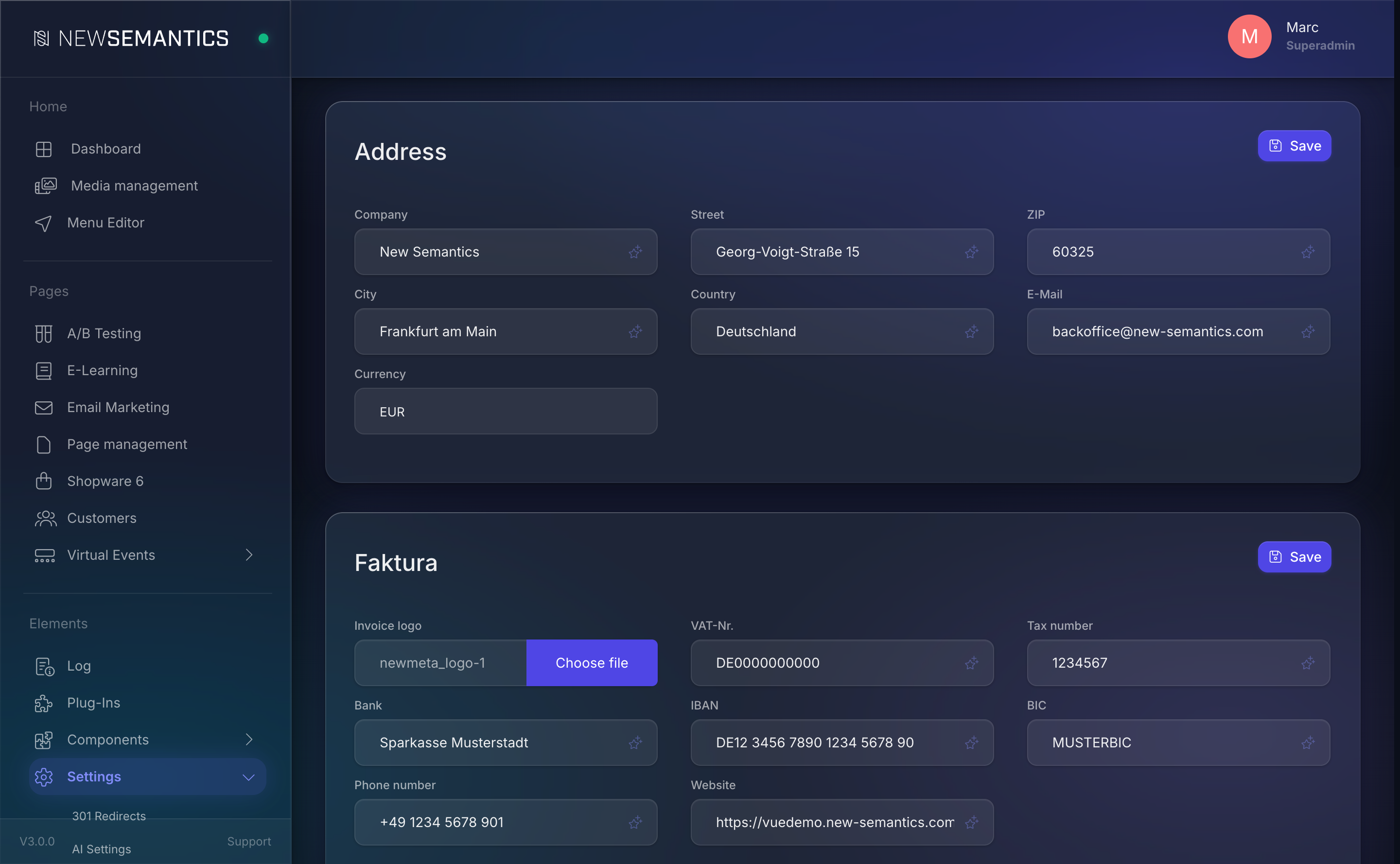
The screen is split into topical panels. Click the pencil icon on a panel to open its edit dialog.
Address
| Field | Purpose |
|---|---|
| Company | Legal company name. Shown on invoices and in the Organization schema. |
| Street | Street + number. |
| ZIP | Postal code. |
| City | City. |
| Country | Country name. |
| Contact e-mail used on invoices. | |
| Currency | EUR, USD, GBP, or CHF. |
Currency is global
Currency is one value for the whole shop. Multi-currency storefronts are not supported in the Native Shop — use Shopware 6 for that.
Faktura (Invoice)
Invoice-related settings used on PDFs:
| Field | Purpose |
|---|---|
| Invoice logo | Logo printed on invoices. Pick from the Media Manager. |
| VAT-Nr. | VAT number (USt-ID). |
| Tax number | Tax number (Steuernummer). |
| Bank | Bank name. |
| IBAN | Bank IBAN. |
| BIC | SWIFT/BIC. |
| Phone number | Contact phone. |
| Website | Company website. |
E-mail text templates
Three templates sent to customers around commerce events:
| Field | Used when |
|---|---|
| Text for the order confirmation | On every successful checkout. |
| Text for the subscription confirmation | When a subscription starts. |
| Text for cancelling a subscription | When a customer or admin cancels a subscription. |
All three are rich text (CKEditor). They are wrapped by the E-Mail Header and E-Mail Footer from the next section.
E-Mail template (header/footer)
Two raw HTML blocks used as the wrapper for every shop e-mail:
| Field | Purpose |
|---|---|
| E-Mail Header | HTML that opens the mail. Typical: doctype, logo, preheader. |
| E-Mail Footer | HTML that closes the mail. Typical: company imprint, unsubscribe, social links. |
E-Mail Server
SMTP credentials used to send the e-mails:
| Field | Purpose |
|---|---|
| E-Mail username | SMTP username. |
| Sender e-mail address | Address shown in the From: header. |
| Sender name | Display name next to the from address. |
| Password | SMTP password. |
| Host | SMTP server (e.g. smtp.office365.com). |
Use SPF / DKIM
Add your shop domain as an authorised sender for the SMTP account (SPF + DKIM), otherwise order confirmations land in spam. Most providers (Microsoft 365, Google Workspace, Amazon SES) give you the exact DNS records.
Shipping
| Field | Purpose |
|---|---|
| Shipping Price | Flat shipping amount added to every order. |
| Shipping article number | SKU shown on the invoice for the shipping line. |
Free shipping thresholds are not configured here — handle them on the frontend by dropping the Shop widget with the freeShippingThreshold option.
Accounting
| Field | Purpose |
|---|---|
| Method for creating invoices | Internal (PDF only) or SevDesk (additionally mirror to SevDesk). |
| Automatic generation of invoices after successful payment | Enabled generates the PDF automatically after each paid order; Disabled leaves invoice creation manual. |
If you pick SevDesk, set the API key on the SevDesk panel right below.
Global password and SSO
| Field | Purpose |
|---|---|
| Global password | A single password that unlocks every product. Useful for demos and closed-beta sites. |
| Single Sign on | Active enables SSO integration; Inactive disables it. |
Common issues
Currency changes
Changing Currency after the shop has orders does not convert past totals. Past orders keep the currency they were placed in on the PDF; the new currency applies only to orders placed after the change.
SMTP blocked by the provider
Many hosting providers block port 25. Use port 587 or 465, and double-check the provider's SMTP settings — if mails go into the spam log instead of arriving, it is almost always the sender address not matching the SMTP account.
See also
- Payment Providers — Stripe and PayPal setup.
- Orders — what the e-mail templates reference.
- Native Shop overview