
Cache
The CMS has two layers of cache: compressed static assets (compiled CSS and JavaScript) and the API response cache (JSON responses served from APCu memory). Both are controlled from Settings → Cache.
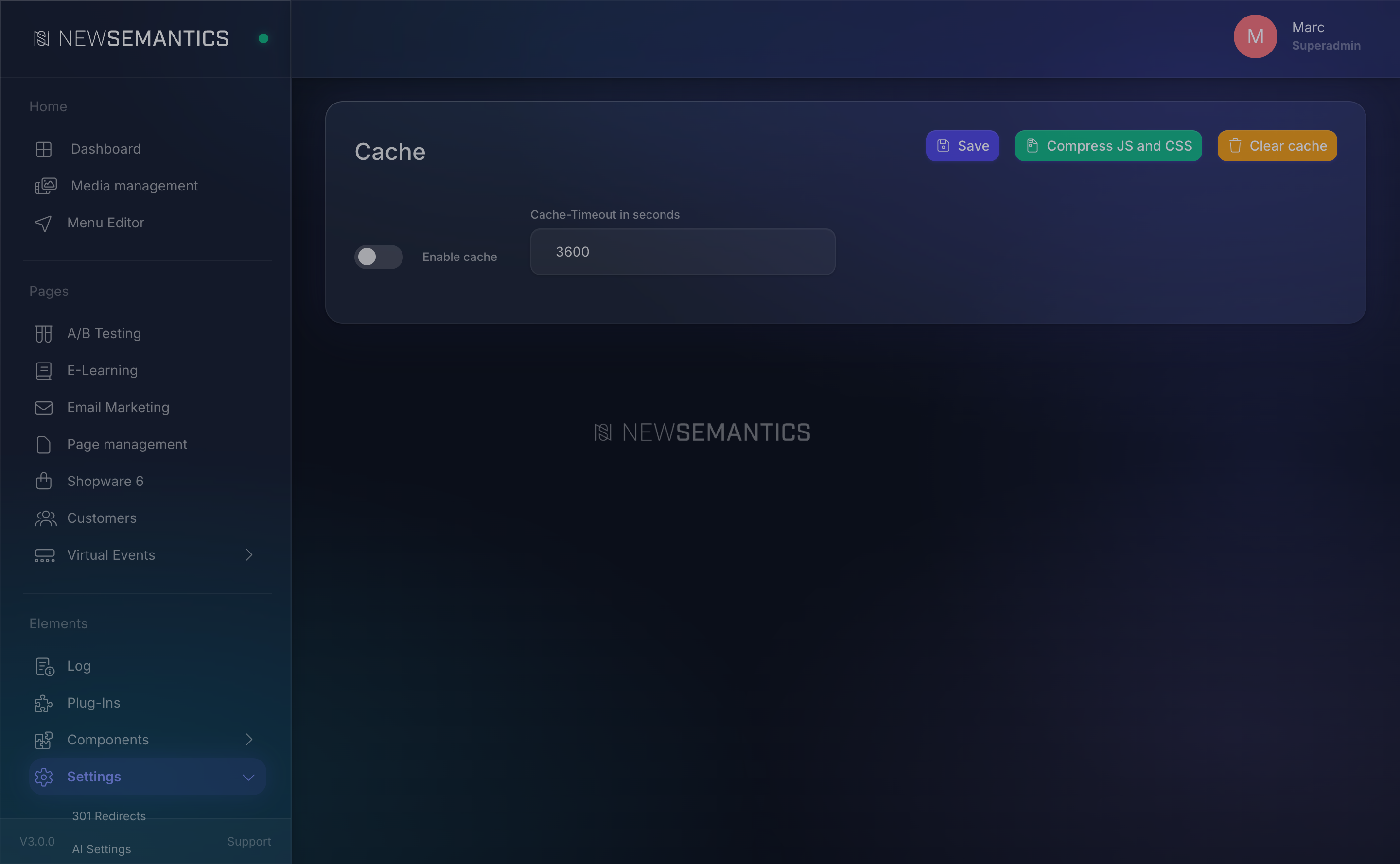
1. The response cache
The Response Cache stores JSON responses from GET requests in APCu memory. The next identical request returns from memory in microseconds — no database, no PHP logic, no session touch.
Configuration
| Field | Purpose |
|---|---|
| Enable cache | Master switch. Uncheck to disable the response cache entirely. |
| Cache-Timeout in seconds | The TTL for cache entries. Typical values: 300 (5 min), 3600 (1 h). |
Click Save. The new settings apply on the next request.
What is cached
Cache hit conditions (all must be true):
- Method is
GET. - No user session is active (
$_SESSION['userid']is empty). - No Backend session is active.
- No
X-Api-Keyheader. - TTL > 0.
- The endpoint is not in the exclude list (see below).
Responses carry an X-Cache header telling you what happened:
X-Cache: HIT— served from memory.X-Cache: MISS— computed fresh, stored in memory.- No header — not cache-eligible (session present, POST, backend endpoint, or excluded).
What is never cached
- All
backend/*endpoints (hardcoded). - Authenticated requests (any session).
- API-key requests (counted per key, not worth the shared cache).
- POST, PATCH, DELETE.
- Endpoints listed in the exclude config.
The exclude list lives in _public/extensions/core/backend/cache_settings/config/cache_exclude_endpoints.json. Prefix-matched against the request path. Typical entries: shop/cart, auth, checkout.
2. Clear the cache
The Clear cache button clears all APCu cache entries — response cache, rate-limit buckets, cached exclude lookups. Use it after:
- Bulk content changes (mass import, deploy).
- Editing runtime translations.
- Changing the exclude config.
- Any time the frontend shows stale data.
Click the button. A success banner confirms the cache was cleared.
Cache clear affects rate limits too
APCu holds more than responses — it also holds the rate-limit tokens. Clearing resets every bucket, so a DoS in progress would get a fresh budget. On a live site, prefer targeted invalidation (e.g. restart PHP-FPM only during a maintenance window).
3. Compress CSS and JS
The Compress JS and CSS button runs the asset pipeline:
- Concatenates and minifies every LESS file that compiles to frontend CSS.
- Bundles JavaScript.
- Re-generates the custom CSS for Pagebuilder spacing, flex, and custom-CSS fields.
- Compiles the custom LESS from Design Tokens (see Design Tokens).
Run this after:
- Changing design tokens in Settings → Design.
- Deploying a new theme.
- Editing LESS files directly on the server.
The compressed output lands in _public/cache/ and is served by the frontend with a long browser-cache header.
Browser cache
Compressed assets carry a long Cache-Control: max-age=31536000, immutable header. When you compress, a new hash goes into the filename — browsers load the new file automatically. Stale browser caches are not a problem for the CSS/JS layer.
For the content layer (pages, blog, product listings), the response cache + the cache-busting query on internal links handles freshness.
How APCu fits in
The response cache, the rate limiter, the exclude-config lookup, and the cache-settings TTL are all stored in APCu (shared memory within a single PHP-FPM pool). If APCu is not installed:
- Response cache becomes a no-op (still computes responses).
- Rate limiter falls back to "always allow".
- Cache-settings TTL is read from DB on every request.
Check the Task Manager → System Status panel. The APCu card must read Active. If it reads Inactive, ask your developer to install php-apcu.
Common issues
I edited content but the frontend still shows the old version. Click Clear cache. For a single page, the response cache has a 5-minute TTL by default, so waiting also works.
The frontend shows unstyled content right after a deploy. Click Compress JS and CSS. Deploys copy files but do not always re-run the compressor.
X-Cache: HIT on a page I just edited. Same cause — clear the cache or wait for the TTL.
Rate limiting seems to never trigger. APCu is disabled. Verify on Task Manager → System Status.
See also
- Task Manager — confirm APCu is active.
- Design Tokens — the "Compress CSS" button re-builds design tokens.
- Translations — clear the cache after bulk translation edits.