
CORS Origins
Modern browsers block cross-origin requests by default. If your frontend runs on a different domain than the CMS API — for example a Nuxt site on example.com calling api.example.com, or a local dev server on localhost:3000 — you must explicitly allow that origin in the CMS.
The Allowed Origins list lives next to the API keys. Open Settings → API Keys and switch to the Origins tab.
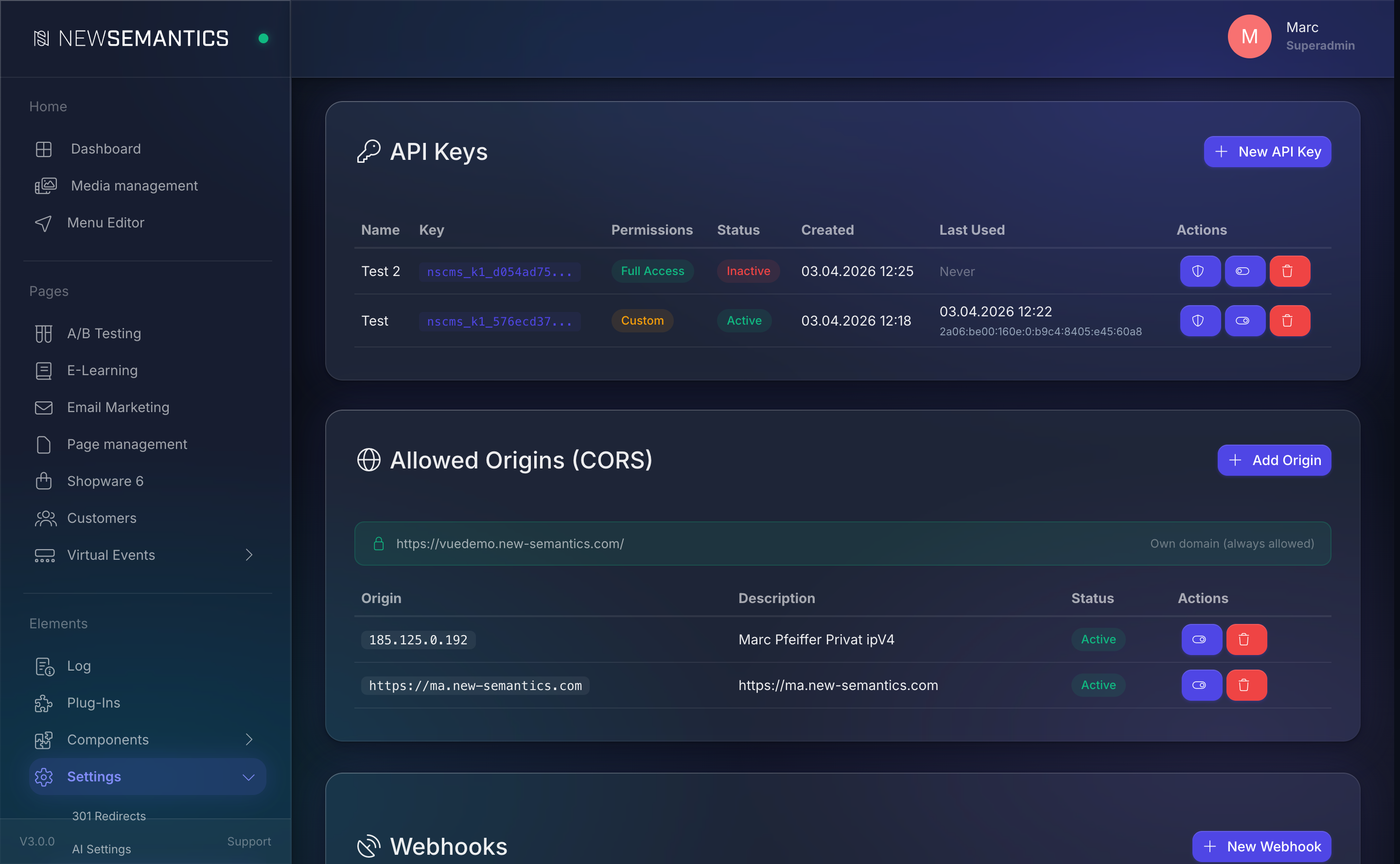
What an origin looks like
An origin is scheme + host + optional port — no path, no trailing slash:
https://example.com
https://www.example.com
http://localhost:3000
The protocol matters: http:// and https:// are two distinct origins. The same is true for www vs. the apex domain.
The implicit own-domain entry
The CMS auto-allows its own domain (own_domain). You do not need an entry for the admin UI to call its own API. You only add entries for additional frontends that sit on a different host.
1. Add an origin
Click Add Origin in the top right. The modal asks for:
| Field | Purpose |
|---|---|
| Origin | Full URL as shown above. |
| Active | Uncheck to add but disable for testing. |
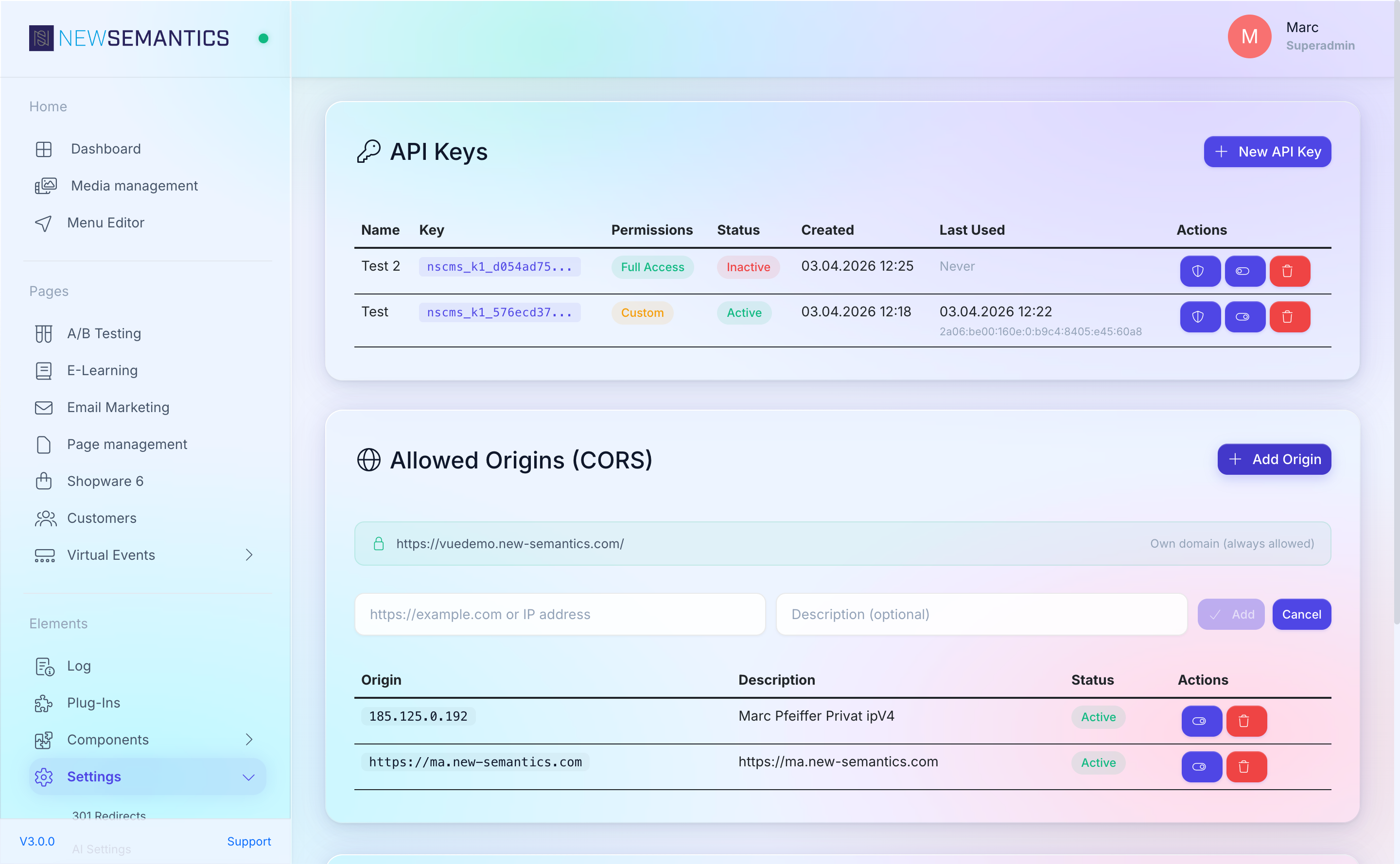
Click Save. The browser now accepts responses from the CMS API when called from that origin.
Staging, preview, dev
Keep separate entries for staging (https://staging.example.com), preview (https://preview-123.vercel.app), and local dev (http://localhost:3000). Toggle Active to narrow the allowlist before a production release.
2. Delete an origin
Click the trash Delete icon. Cross-origin requests from that URL fail with a browser CORS error on the next call. The server will still respond to the request — it just will not return the Access-Control-Allow-Origin header, so the browser rejects the response.
What CORS does and does not do
CORS is a browser protection, not a server protection. Removing an origin does not prevent a server-to-server call (e.g. curl) from reaching your API. For that, you need:
- An API key with scoped permissions, and/or
- Authenticated Backend sessions, and/or
- The rate limiter (
429after the per-IP budget is exhausted).
CORS only affects browser fetches that set credentials: 'include' or that cross a public-private boundary.
Wildcards
Wildcard origins (*) are not supported for credentialed requests by design — the same browser standards that define CORS forbid the combination. The CMS API uses cookies for Backend sessions, so every allowed origin must be explicit.
Common issues
Browser console says "CORS error" but curl works. That is expected — CORS is enforced only by browsers. Add the origin.
Cross-origin request fires an OPTIONS preflight that returns 200 but the real request still fails. Check that the origin in the request matches the entry exactly (no trailing slash, same protocol, same port). Mismatches silently fall through.
A request from https://foo.com works, but https://www.foo.com does not. Subdomains are separate origins. Add each one you use.