
API Keys
API keys let external systems call the CMS REST-API without a user login. Typical uses: a mobile app fetching content, an analytics exporter pulling orders, a partner system pushing blog posts. Each key is scoped to a set of endpoints and HTTP methods, carries an optional expiry date, and can be rotated or revoked at any time.
Open Settings → API Keys. The list shows every key with its name, prefix, expiry, and the date of last use.
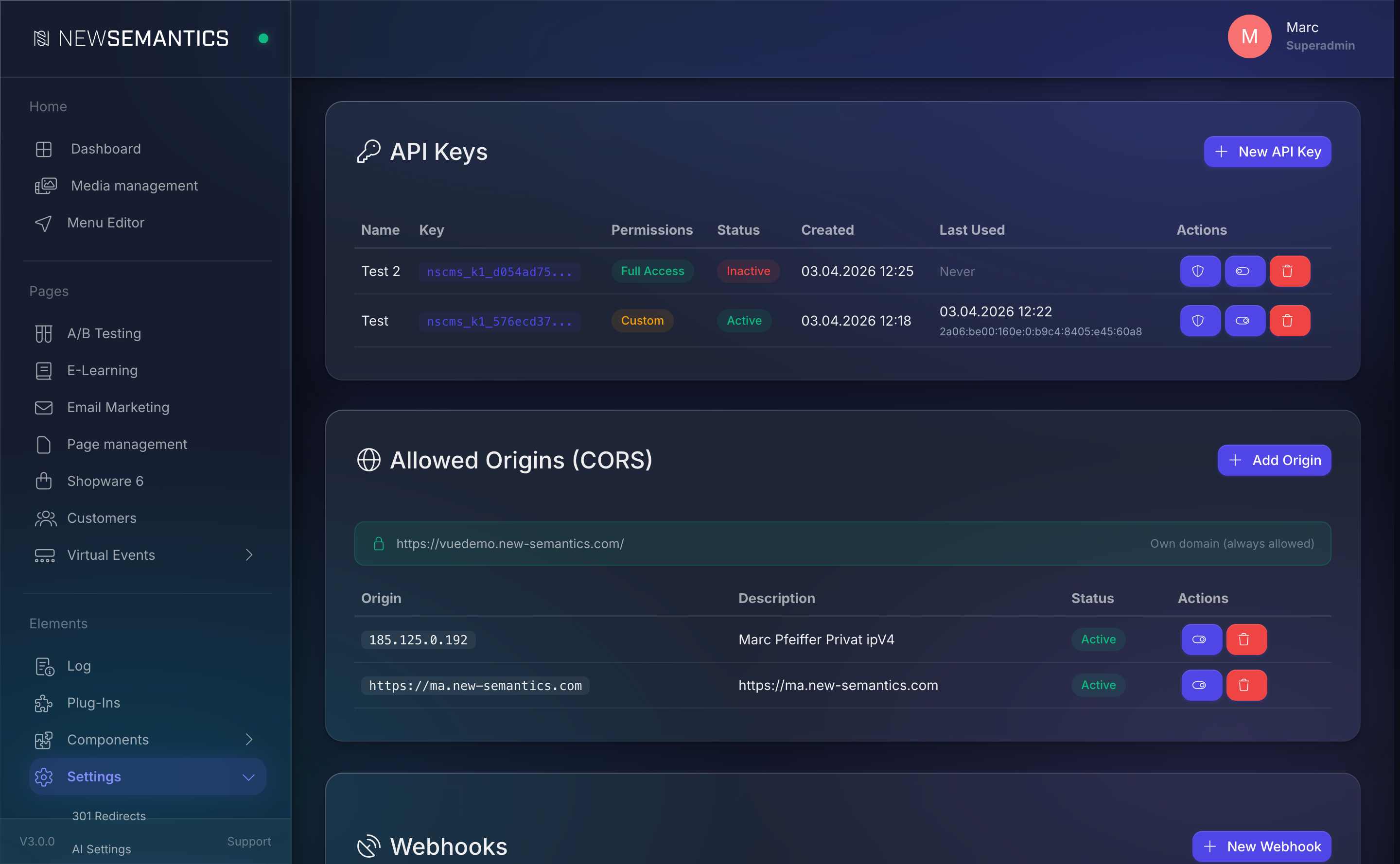
The full key is shown only once
When you create or rotate a key, the full value is shown exactly one time in a copy-to-clipboard banner. The system stores only a hash — there is no way to retrieve the full key afterwards. If you lose it, rotate the key and update the caller.
1. Create a key
Click New Key. A modal opens.
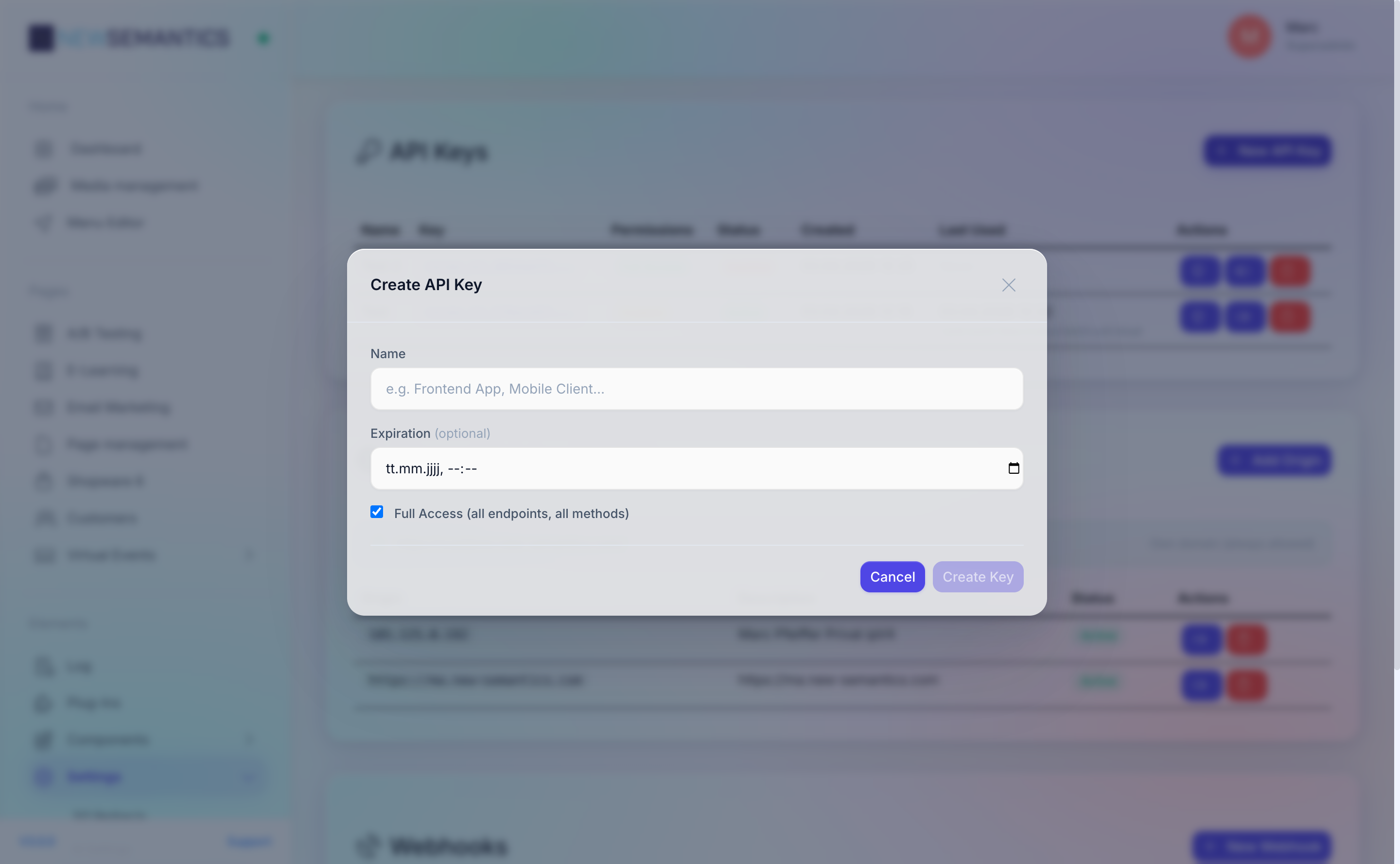
| Field | Purpose |
|---|---|
| Name | A human label, e.g. Mobile App, Partner Importer. |
| Expiry | Optional cutoff date. The key stops working at midnight on that day. |
| Active | Uncheck to create the key but leave it disabled. |
| Rights | Per-endpoint checkboxes — see below. |
Click Save. The full key appears in a banner with a Copy button.
nscms_k1_abc123...Copy the value into the caller's secure storage now. Close the banner to return to the list.
2. Configure rights per endpoint
The rights selector is a table with one row per API endpoint and four columns: GET, POST, PATCH, DELETE. Tick the methods the key may use.
The special row * grants all methods on all endpoints — use it only for trusted full-admin integrations.
Examples:
| Use case | Pattern |
|---|---|
| Read-only public data | GET on /api/pages, /api/menu, /api/settings |
| Order export | GET on /api/backend/item (with ?table=s_orders) |
| Blog publisher | GET + POST + PATCH on /api/backend/item (table blog_articles) |
| Full admin | * on all methods |
3. Use the key in a request
Send the key as an HTTP header:
curl https://example.com/api/pages \
  -H 'X-Api-Key: nscms_k1_abc123...'
The header name is X-Api-Key. Query-string transport is not supported.
On success the response is normal JSON. On a permission mismatch the server returns HTTP 401 Unauthorized. On expiry, the server returns 401 with "error": "api_key_expired".
4. Rotate a key
Click the Rotate icon on a key row. The old value stops working immediately; a new value is generated and shown once in the same banner.
Rotate before you leak
Rotate whenever a key might have leaked (shared screen, git commit, log file). Assume the old value is compromised even if you cannot prove it.
5. Delete a key
Click the trash Delete icon. The key is removed; any caller using it starts to receive 401 on the next request. Deletion is instant — there is no soft-delete.
Rate limiting
Every public API endpoint is behind a token-bucket rate limiter. API-key requests are counted against the key itself (not the calling IP), so a single caller cannot DoS itself against an IP budget.
| Bucket | Default tokens | Refill per second |
|---|---|---|
| Global frontend | 100 | 1.67 |
| API (external) | 60 | 1.0 |
backend/auth | 10 (per IP) | 0.17 |
checkout | 10 (per IP) | — |
When a request is throttled the server returns HTTP 429 Too Many Requests with the headers X-RateLimit-Limit, X-RateLimit-Remaining, and Retry-After. Your client should honor Retry-After before retrying.
If APCu is disabled
Rate limiting falls back to "always allow" if the APCu extension is not installed. Check Task Manager → System Status — the APCu card must read Active. Without APCu the system has no DoS protection.
See also
- CORS Origins — which browsers are allowed to call the API.
- Webhooks — the push counterpart to API keys.
- Task Manager — verify APCu is active.