
Shopware 6
newmeta can act as a headless frontend for an existing Shopware 6 installation. Your CMS stays the content and layout system; Shopware 6 remains the source of truth for products, stock, orders, and payments.
The integration talks to Shopware's Store API — the same API the Shopware Storefront uses. Your CMS renders product listings, product detail pages, cart, checkout, and customer account using newmeta Pagebuilder widgets and its Glassmorphism admin UI.
When to use this instead of the Native Shop
Pick Shopware 6 when one of these applies:
- You already have a running Shopware 6 shop.
- You need multi-currency, multi-country, or advanced tax rules.
- You rely on Shopware plugins (PayPal, Klarna, Ratepay, pricing rules).
- Your catalogue is large (tens of thousands of SKUs) or synced from an ERP.
Pick the Native Shop if none of the above apply — the Native Shop is simpler and one fewer system to run.
What the integration does
The Shopware 6 plugin adds seven Pagebuilder widgets plus an Offcanvas Cart plugin that render Shopware data on any newmeta page.
| Widget | Purpose |
|---|---|
| Shopware Product Listing | Grid or list of products from one Shopware category. |
| Shopware Product Detail | Single product detail page. |
| Shopware Cart | The cart. |
| Shopware Checkout | Multi-step checkout (Address → Shipping + Payment → Summary). |
| Shopware Customer Account | Login, profile, order history. |
| Shopware Category Teaser | Category cards for landing pages. |
| Shopware Search Bar | Search field with live suggestions. |
The widgets share a single Pinia store (sw6Store). Opening the cart in one widget updates the count in every other widget.
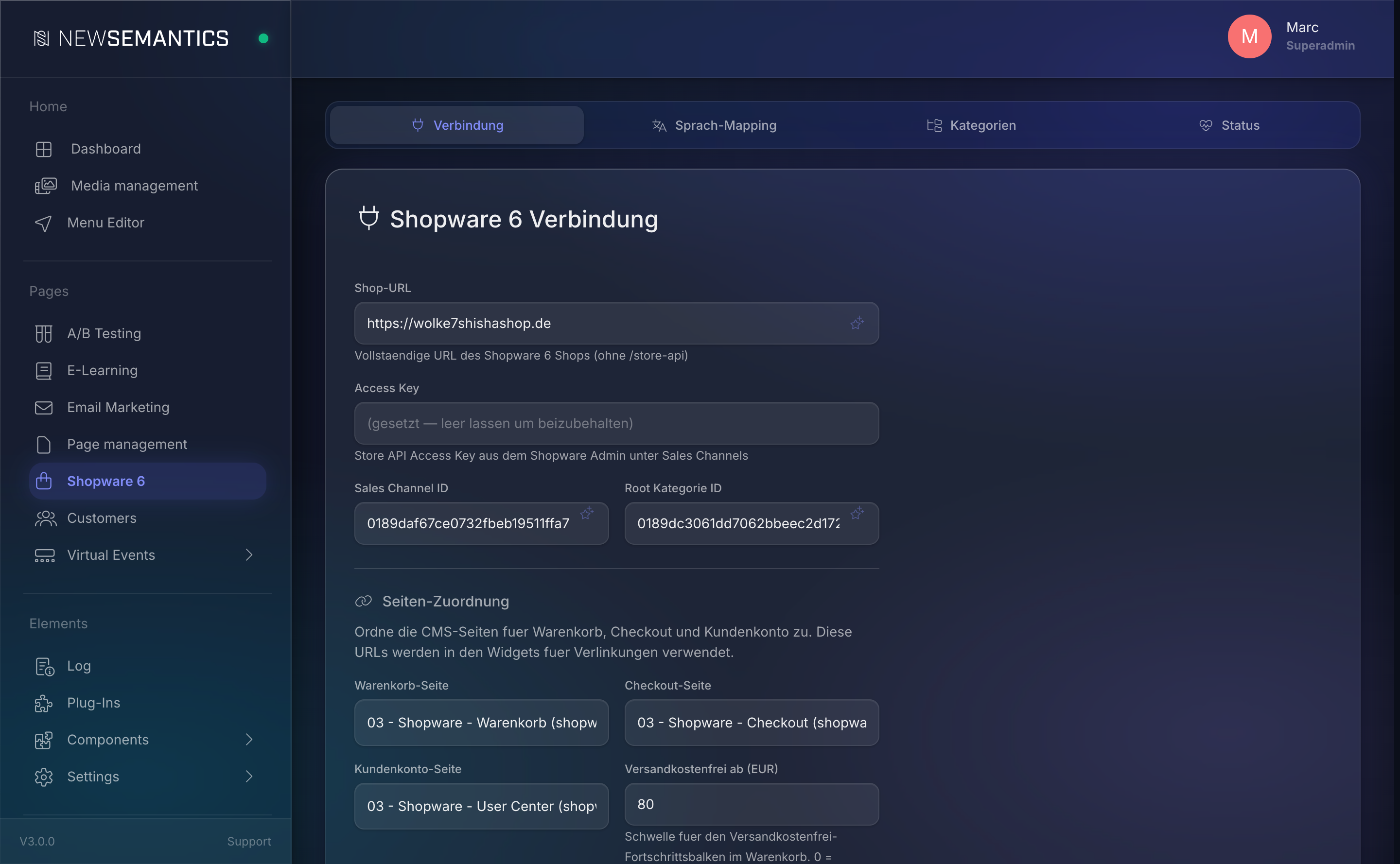
The admin screen
Click VOD / Shop → Shopware 6 in the sidebar. The screen has four tabs:
- Connection — Shop URL, Access Key, Sales Channel, page assignments, PayPal Client ID.
- Language Mapping — map each CMS language to a Shopware language.
- Categories — local category cache + Canonical toggles.
- Status — connection status, Circuit Breaker, APCu cache, session counts.
See the dedicated pages for each tab:
Data flow in one diagram
Customer browser
      │ (HTTP)
      ▼
newmeta CMS (Nuxt + PHP)
 ├── Pagebuilder widget (e.g. sw6ProductListing)
 ├── /api/sw6/products              → ShopwareClient::fromSettings()
 │    │                               (persistent cURL, APCu cache)
 │    ▼
 │   Shopware 6 Store API
 │    └── https://shop.example.com/store-api
Every request from the CMS to Shopware carries:
sw-access-key— the Store API Access Key.sw-language-id— the Shopware language UUID mapped from the CMS language.sw-context-token— a per-session token that holds the cart and customer login.
Caching and reliability
The plugin ships with several reliability layers:
- APCu cache for product listings and details (short-lived, seconds).
- Category cache in
sw6_category_cache— synced every 6 hours. - Product canonical cache — synced every 60 minutes (configurable).
- Circuit Breaker — after repeated failures to Shopware, requests short-circuit for a cooldown window; the frontend degrades gracefully to "temporarily unavailable" instead of hanging.
Start with Setup
If you have never connected this CMS to a Shopware shop, start with Shopware 6 Setup. That page walks you through Shop URL, Access Key, Sales Channel, and the test connection.
See also
- Shopware 6 Setup — first-time connection.
- Language Mapping
- Categories & Canonical
- Product Cache
- Troubleshooting