
Translations
The Translations module holds runtime UI strings — short text fragments rendered by plugins and widgets that are not part of page content. Examples: the label on a "Read more" button, the placeholder on a search box, the validation error under a form field. Every string has an original (main language) value and one translation per configured language.
Open Settings → Translations. The list shows every translation pair.
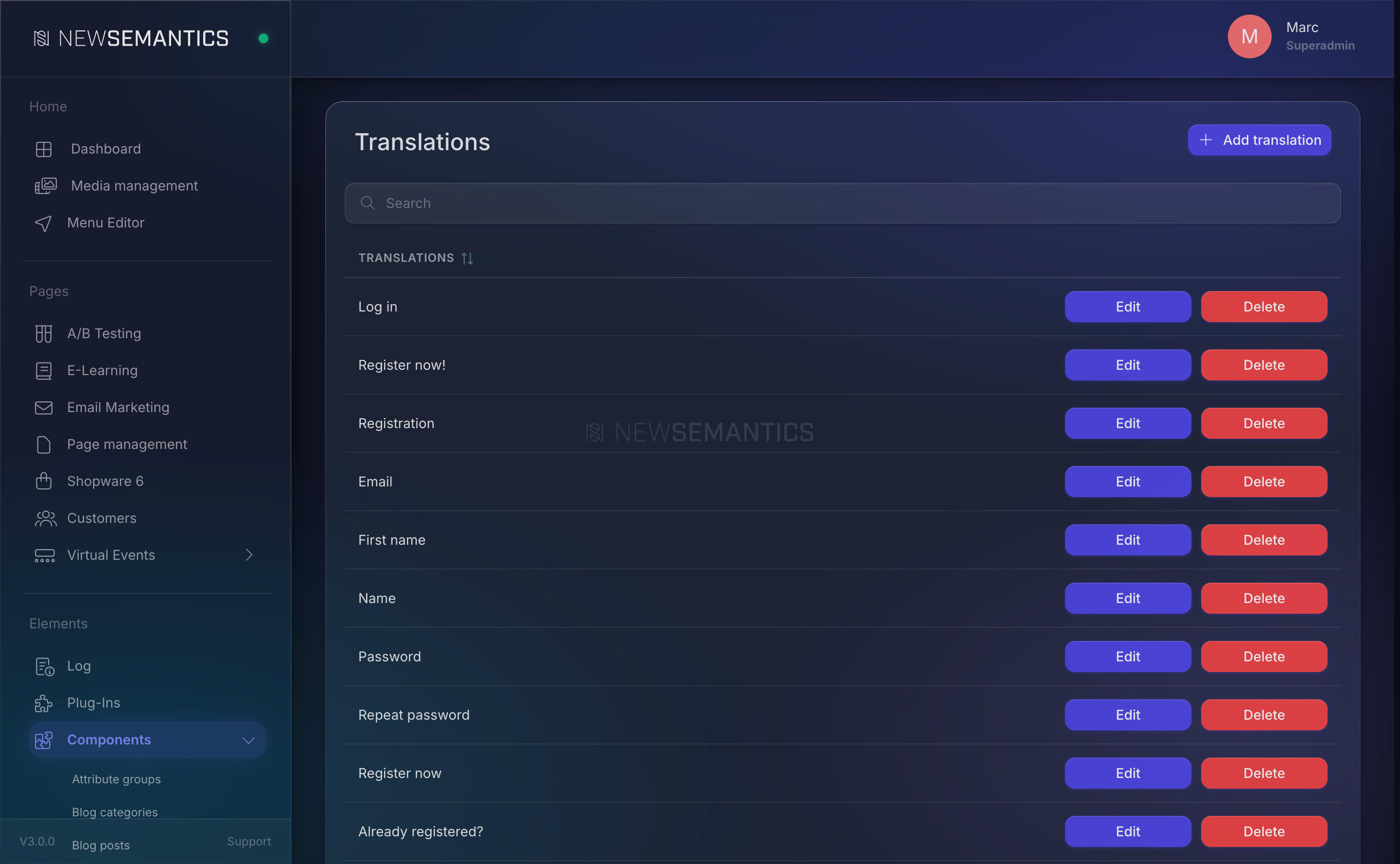
Columns
| Column | Purpose |
|---|---|
| Original Text | The source string in the main language. |
| Translation | The translated string for a specific language. |
The language tabs in the edit modal let you set translations for every configured language at once.
1. Add a translation
Click Add translation.
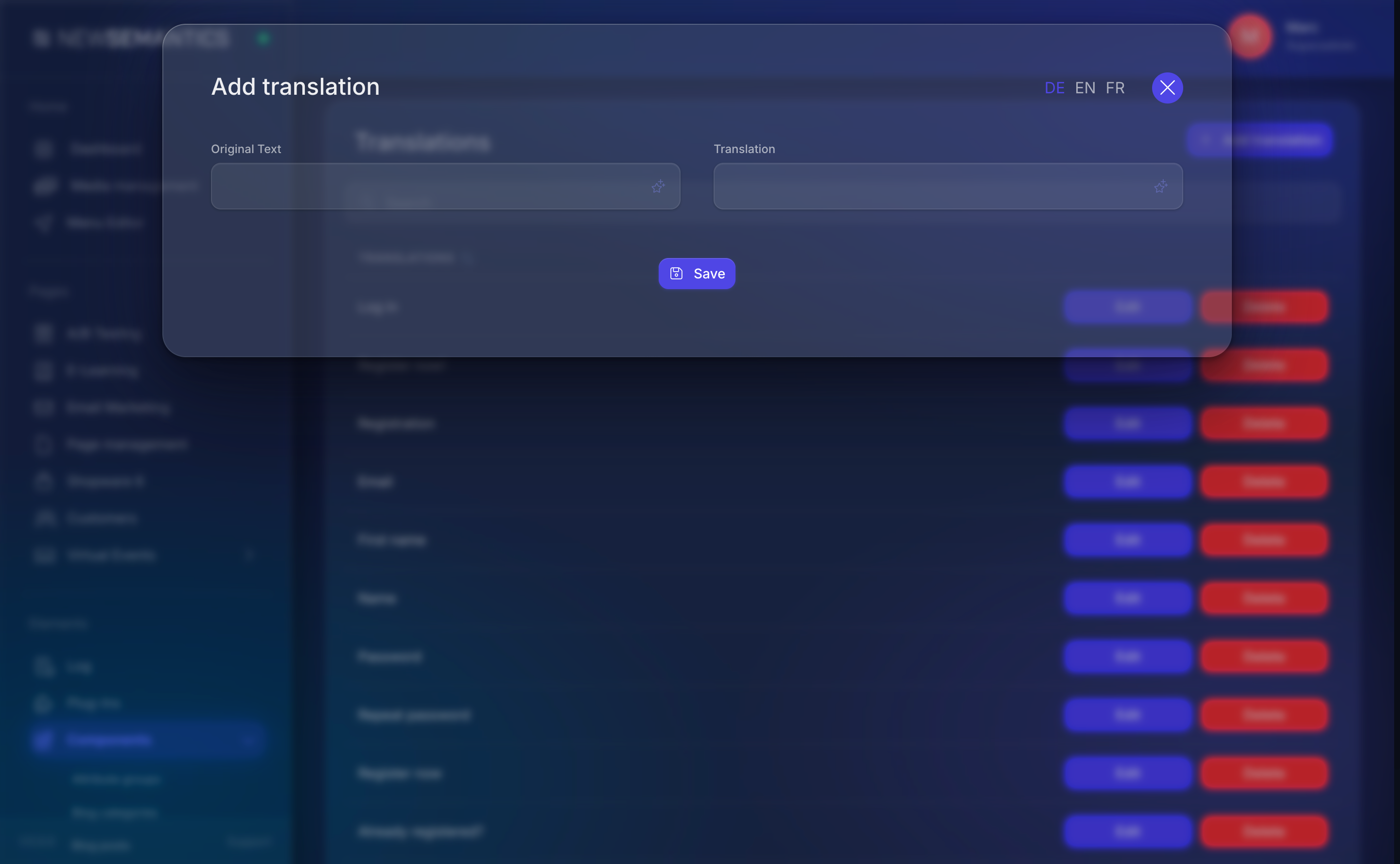
| Field | Purpose |
|---|---|
| Original Text | The literal string that appears in the UI. Copy-paste the exact wording. |
| Translation | The translated equivalent. |
Language tabs at the top of the modal let you add translations for every language in one step. Click Save.
How the lookup works
The frontend and Backend call the translation function with the original string as the key. A direct match against Original Text returns the translation; a miss falls through to the original. Case and punctuation matter — Save and save are two different entries.
2. Edit a translation
Click the pencil Edit icon. Change the translation, save.
You can change the original too, but every call that uses the old original immediately falls through to itself (no translation) until you update the calling code. Prefer adding a new row and deleting the old.
3. Delete a translation
Click the trash Delete icon. The string falls back to the original in every language the translation covered. Deletion cannot be undone.
What belongs here — and what does not
This module is for runtime strings — short fragments the code looks up at render time.
| Type | Where it belongs |
|---|---|
| Widget button labels, placeholders | Translations (here). |
| Validation errors, success messages | Translations. |
| Plugin-provided UI labels | Translations. |
| Page content (headlines, body text, images) | The Pagebuilder — language tabs on each widget. |
| URL segments | URL Translations. |
| Menu-item labels | Menu Editor, language tab on each item. |
| Product names, descriptions | Shop, language tab on each product. |
When in doubt, check whether the text lives in the code (Translations) or in a content row (the module's own language tab).
Search
The search field filters by Original Text. Type a fragment to locate entries. The match is case-insensitive substring.
Inherited from the legacy CMS
The language_translations table is a legacy carve-out from the CMS predecessor. It keeps entries the code has historically depended on — about 40 German runtime strings at last count. New plugins are moving to in-code i18n, but existing entries still work and should stay until the code is migrated.
Common issues
A widget shows German text in the English frontend. No matching entry in Translations. Add the original German text as the key and the English wording as the translation.
I added a translation but nothing changed. Two reasons:
- The original text does not match exactly (typo, missing period, extra space).
- The response cache is serving a stale copy. Clear the cache.
The German tab is empty for a row that has English and French. That language variant was not filled. Open the row, switch to the German tab, add the translation.
See also
- Languages — configure which languages exist.
- URL Translations — translate URL segments (not UI strings).
- Cache — clear after bulk edits.