
Audit log
Every system-relevant event the CMS performs is written to a tamper-evident audit log: backend logins and 2FA events, content mutations (Pagebuilder, Menu Editor, Media), configuration changes (API keys, AI providers, Shopware 6, Elasticsearch), data exports, deployments, plugin install/uninstall. Each entry carries the acting user, real client IP, browser, before/after snapshot, and a SHA256 HMAC hash that links it cryptographically to the previous entry. A daily verifier checks that the chain has not been altered.
Open Components → Log.
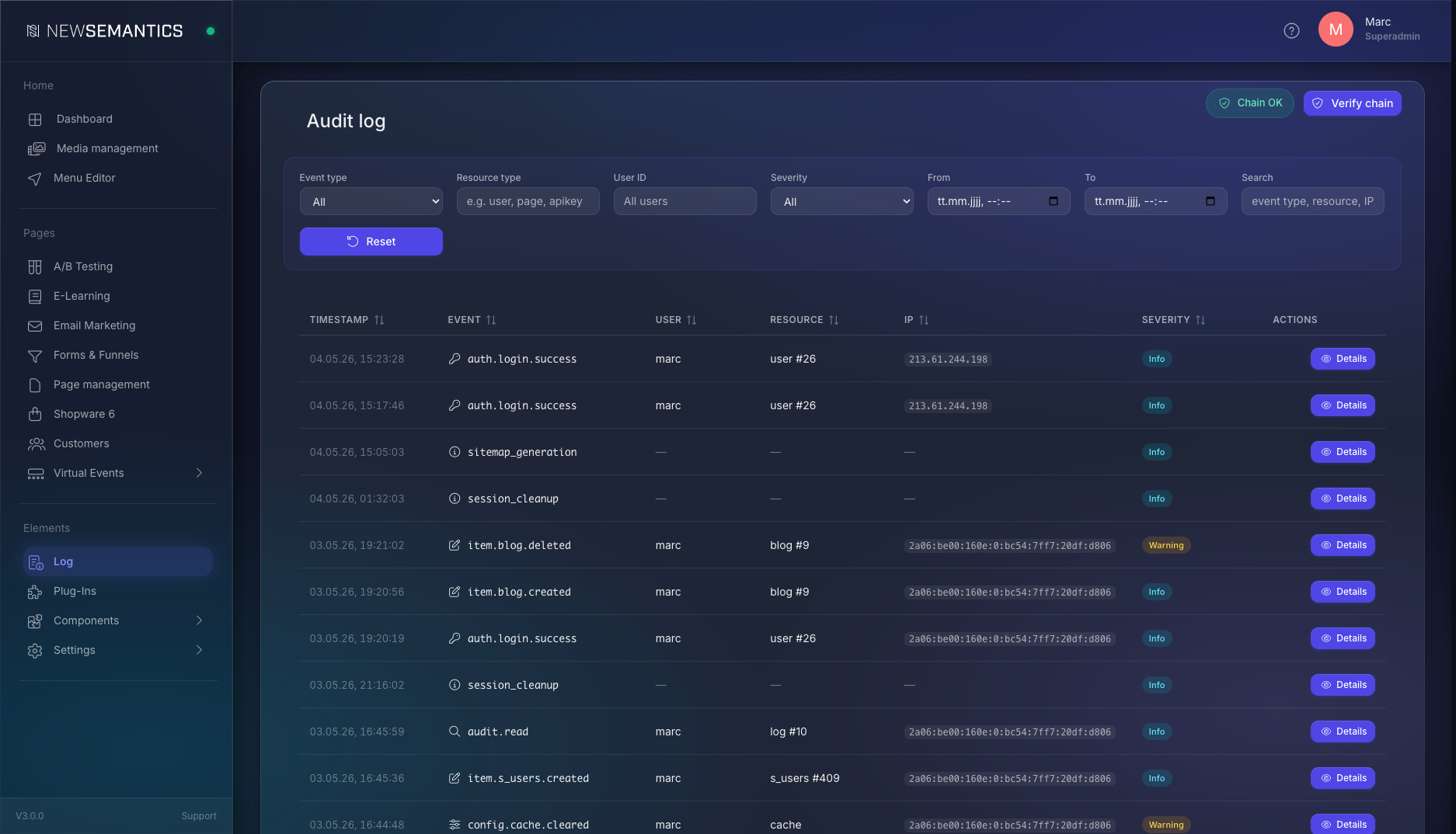
What the audit log records
Audit entries are created via two paths:
- Webhook hook — every internal Webhook event (
auth.login,media.deleted,item.{table}.created/updated/deleted,deployment.completed, etc.) is captured automatically. - Direct hook — explicit
AuditLogger::record()calls for events without a webhook (failed logins, 2FA setup, password resets, API-key mutations, CSV exports, sensitive reads).
Roughly 75 distinct event types are covered, grouped by domain prefix (auth.*, config.*, data.*, pagebuilder.*, menu.*, media.*, system.*, security.*, audit.*, emailmarketing.*, formfunnel.*, search.*, plus item.{table}.* wildcard for every plugin table).
Severity levels
Each entry carries one of three severity levels. The header filter and the row badges use the same colour scheme.
| Level | When it fires | Examples |
|---|---|---|
| Info (cyan) | Normal, expected activity. Audit-trail value but nothing to alarm about. | Successful login, page published, item created/updated, sensitive reads (invoice/certificate/order detail), audit-log read, scheduled task triggered manually. |
| Warning (orange) | Security-relevant or destructive. Aufmerksamkeit erforderlich. | Failed login, 2FA verify failed, account locked, session IP changed, rate limit exceeded, all *.deleted events, CSV export, AI mass operation, cache cleared. |
| Critical (red) | System-level changes. A reviewer should always check these. | Permission change, password reset, 2FA setup, API-key created/updated/deleted, AI/email/Shopware/Elasticsearch connection mutated, plugin installed/uninstalled, migrations executed, deployment target created/updated. |
Auditor workflow
Filter by Critical first — that gives you every privileged operation in one view. Then Warning for security events and deletions. Info is for forensic correlation when you need the full activity trail of a user or resource.
Columns
| Column | Meaning |
|---|---|
| Timestamp | When the event happened (server time zone). |
| Event | Hierarchical event identifier (domain.action.state) with an icon for the domain group. |
| User | Backend username, or — for anonymous events (failed login, public form submit). |
| Resource | The affected entity, e.g. user #42, page #17, apikey #5. |
| IP | Real client IP — Cloudflare-aware. Behind a reverse proxy the original client address is shown, not the edge IP. |
| Severity | Info / Warning / Critical badge. |
| Actions | Open the Details modal for the full entry. |
1. Filter the log
The filter bar in the header narrows the table down. All filters combine (AND).
| Filter | Behaviour |
|---|---|
| Event type | Multi-group dropdown grouped by Authentication / Configuration / Data / Content. Selecting auth. matches every event whose type starts with auth.; selecting auth.login only matches that specific event. |
| Resource type | Free-text prefix match against resource_type — e.g. user, page, media, apikey. |
| User ID | Numeric — the ID of a backend user. Find the ID under Components → Users. |
| Severity | All / Info / Warning / Critical. |
| From / To | Datetime range. Useful for incident investigation around a specific time slot. |
| Search | Free-text against event type, resource ID, IP, statement, and username. |
Click Reset to clear all filters.
2. Open an entry
Click Details on any row. The modal opens with all fields, the before/after diff, and the chain context.
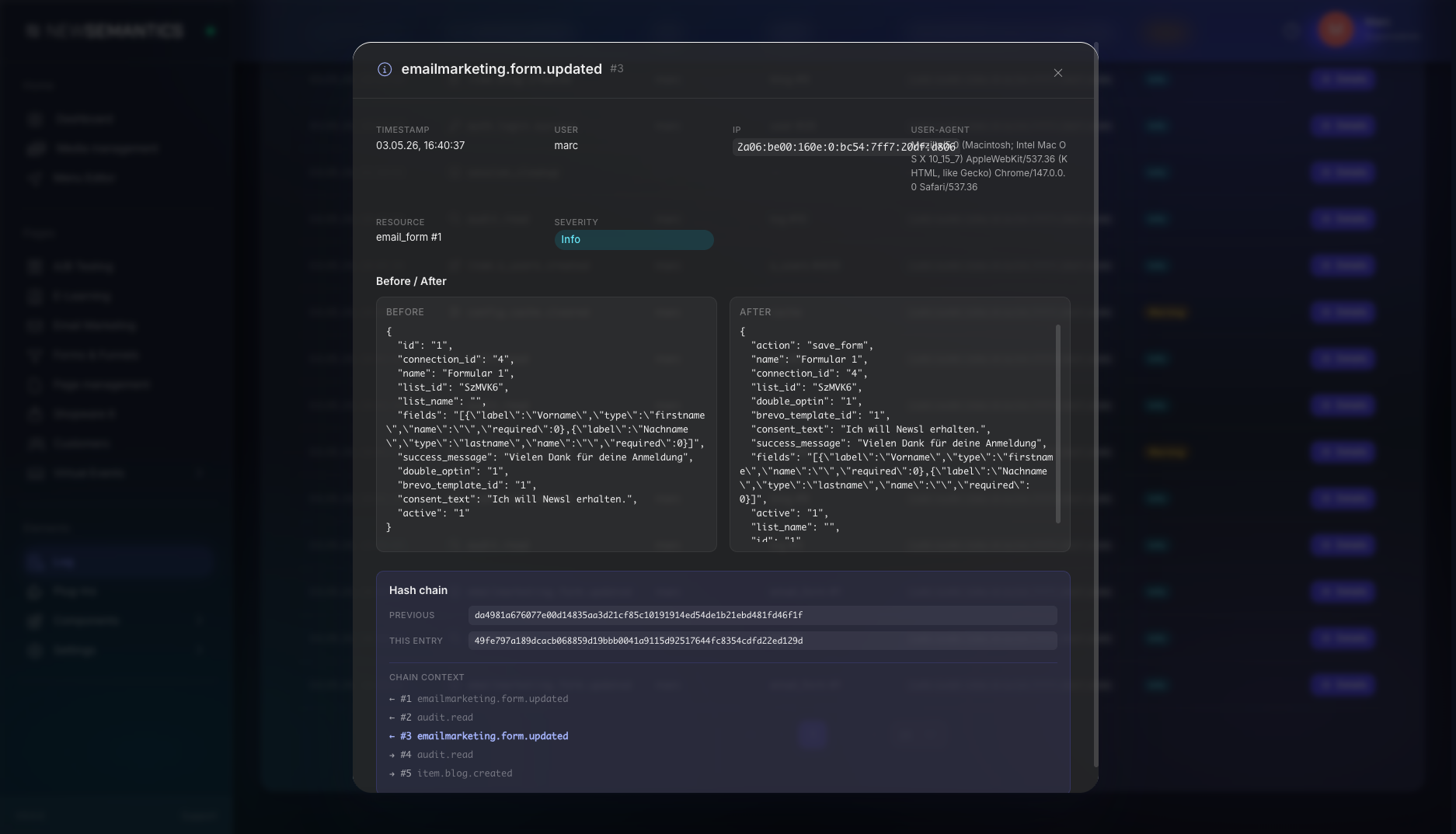
The detail view shows:
- Timestamp, User, IP, User-Agent, Resource, Severity — the metadata of the entry.
- Before / After — JSON snapshots side-by-side. Sensitive fields (
password,secret,key,token,salt) are filtered out automatically. JSON larger than 64 KB is truncated with a[truncated]marker — the truncation itself is part of the hash. - Hash chain — the entry's
hash(HMAC-SHA256 over event type, user, resource, IP, before/after, timestamp) plus theprev_hashit links to. - Chain context — the two preceding and two following entries, so you can see the entry in its temporal neighbourhood.
Self-logged read
Opening the detail modal writes its own audit.read entry — the audit log records who looked at which entries. This is intentional and is part of SOC2 access tracking.
3. Verify the chain
The header carries a chain-status badge:
| Badge | Meaning |
|---|---|
| 🟢 Chain OK | The verifier ran, every entry's stored hash matches the recomputed HMAC. |
| 🟡 Never verified | No verifier run yet — initial state on a fresh installation. |
| 🔴 Chain broken (pulse) | A verify run found a mismatch. Hover the badge for the broken entry ID and the reason. |
Click Verify chain to run an on-demand verifier pass. The run is asynchronous: the response returns immediately, and the badge updates within ~30 seconds via polling.
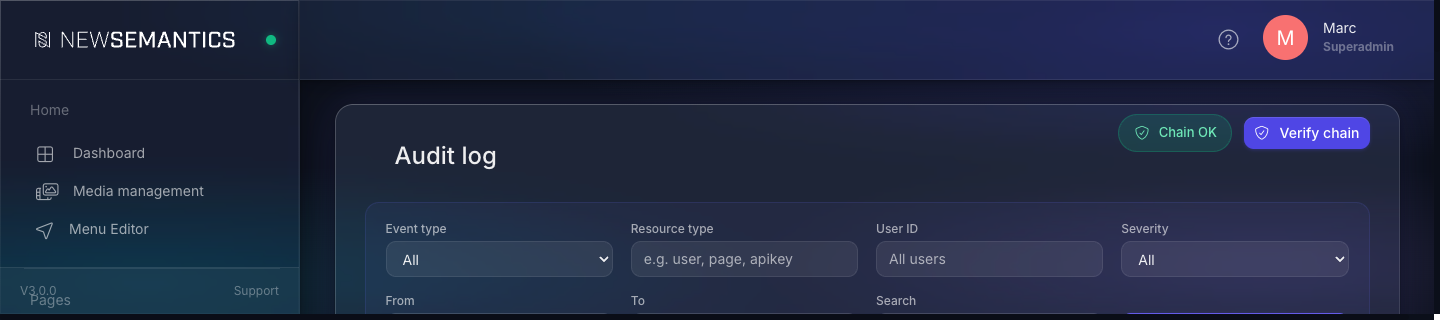
A scheduled task (verify_audit_chain.php) runs automatically every 24 hours.
Chain broken — what now?
A red badge means someone or something modified the audit log outside the application. The error_log will contain a line like [AuditChainVerifier] CHAIN BROKEN at id=X (last_verified=Y): hash mismatch on id X: expected …, got …. Investigate before touching anything else: an attacker with database access is the worst case; the second-worst is an accidental ALTER TABLE / data import that mutated rows.
How retention works
| Stage | Duration | Table |
|---|---|---|
| Hot | First 365 days | log (full indexes — fast filter and sort) |
| Cold archive | Years 2–7 | log_archive (slimmer indexes — slower lookups, smaller storage) |
| Hard cleanup | After 7 years | Deleted permanently |
Three scheduled tasks own the lifecycle:
verify_audit_chain.php— daily, checks the chain.archive_audit_log.php— daily, moves entries older than 365 days intolog_archive(1000 rows per batch).cleanup_audit_archive.php— monthly, deletes archive rows older than 7 years.
DSGVO / GDPR considerations
IP and user-agent are personal data under GDPR (EuGH C-582/14, Breyer). Logging them in an audit trail is permissible under Art. 6 (1) f DSGVO (legitimate interest in IT security, fraud prevention, and SOC2/ISO27001 compliance — see Recital 49). Required to keep the legal basis intact:
- The privacy policy mentions the audit log: IP, user-agent, action, retention.
- Sensitive payload fields (passwords, tokens, secrets) are filtered automatically.
- Retention has a defined upper limit (the 7-year hard cleanup above).
- The chain provides tamper evidence — required for forensic value of the log.
DSGVO right-to-erasure
Deleting individual audit-log rows on a deletion request would break the hash chain — the verifier would mark the chain as broken from that point forward. The supported approach: keep the chain intact, run a fresh chain (audit.chain_reset event) after the cleanup, and document the rationale in the privacy file. The chain itself cannot retroactively anonymise individual entries.
Export
Use Components → CSV-Export to export the current filter view as CSV. Pick the log table and apply the same filters. The export itself is logged as data.export.csv (Warning) — the audit trail captures who downloaded which data, including the row count and timestamp.
Common issues
The badge stays "Never verified" after I click Verify. The verifier runs asynchronously. The first run on a large log can take longer than the 30-second polling window. Reload the page; if it still says "Never verified", check the PHP error log for [AuditChainVerifier] lines.
A user shows up in the table but I can't find them under Users. The user might have been deleted. Audit entries keep the original user ID — that is the point of an audit trail. Match the ID against item.users.deleted events in the same time range to find when the account was removed.
Before is empty on an update event. The handler that fired the webhook did not pass a before payload, so the audit logger only sees the new state. Item-CRUD via /api/backend/item always supplies before/after; some plugin-specific endpoints (older ones) only supply the new state. Open an issue if you need the diff for a specific event.
Severity badge appears in the wrong colour. Browser cache. Hard-reload (Cmd+Shift+R / Ctrl+Shift+R). Severity is computed server-side from the event type and is fixed once the entry is written.
Chain breaks immediately after a database restore. Database restores can rewrite TIMESTAMP precision or charset, which changes the bytes that go into the hash. Document the restore in a fresh audit.chain_reset event and start a new chain.
See also
- Task Manager — the scheduler that runs the daily verifier and archiver.
- Users — match audit user IDs back to accounts.
- API Keys — every key mutation is logged with Critical severity.
- Update Manager — deploys, migrations, and plugin install/uninstall feed the audit log.